
Use the Test navigator to run UI tests and unit tests that check the performance and behavior of your code.
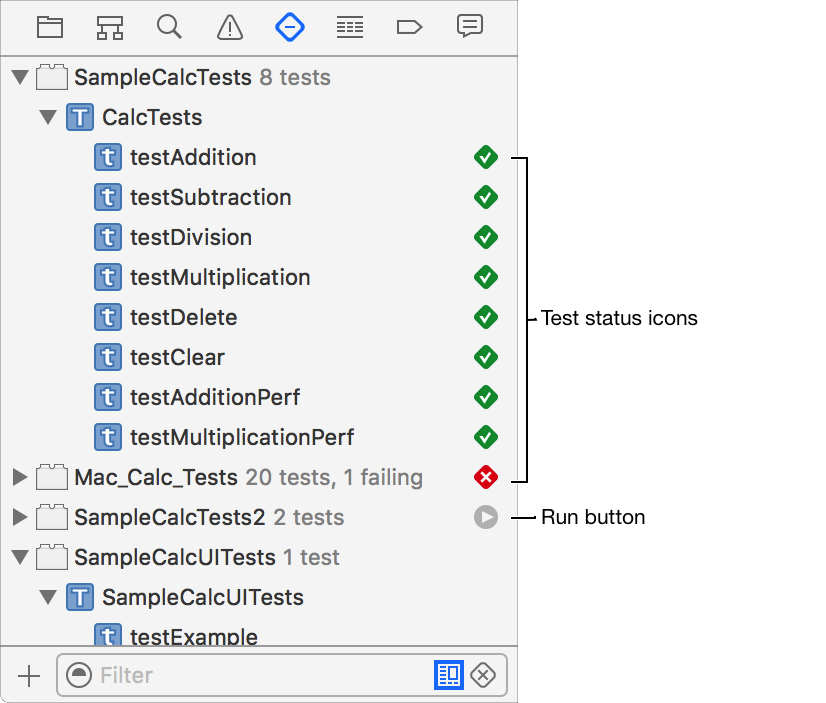
Run all tests for a project: Choose Product > Test.
Run all tests for a test target or test class: Hover the pointer over any test target or test class to display a run button. Click the button to run the tests. (Alternatively, hover over and click a diamond icon for a test class that appears in the gutter of the source editor.)
Run an individual test: Hover the pointer over any test or status icon to display a run button. Click the button to run the test. (Alternatively, hover over and click a diamond icon for a test method that appears in the gutter of the source editor.)
View the source code for a test: Select a test in the list to open its code in the source editor.