
Add a test class to expand the scope of testing in a project with new methods.
Click the Add button (+) at the bottom of the Test navigator.
Choose New UI Test Class or New Unit Test Class from the pop-up menu.
Enter a name for the class in the Class field.
Choose a superclass from the “Subclass of” pop-up menu. By default, classes are subclasses of XCTestCase.
Choose an implementation language from the Language pop-up menu.
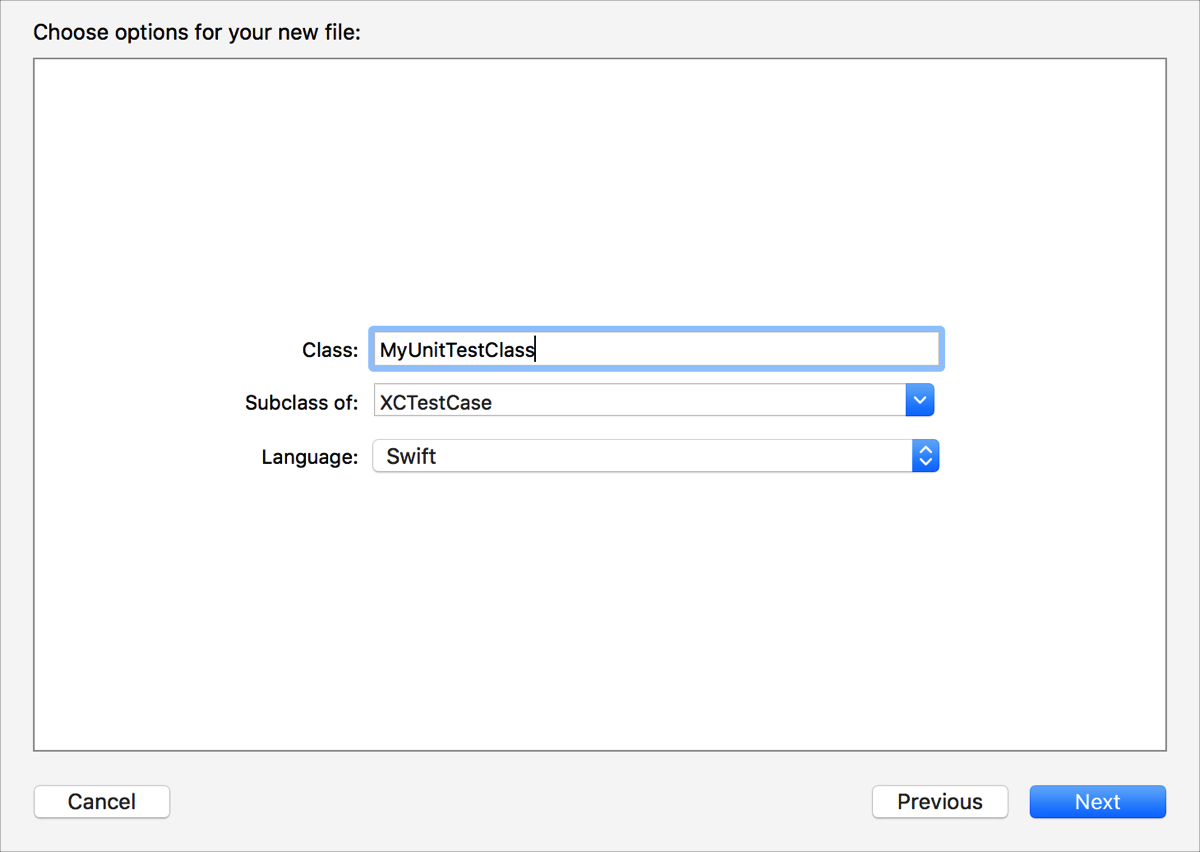
Click the Next button.
Select a destination, group, and test target.
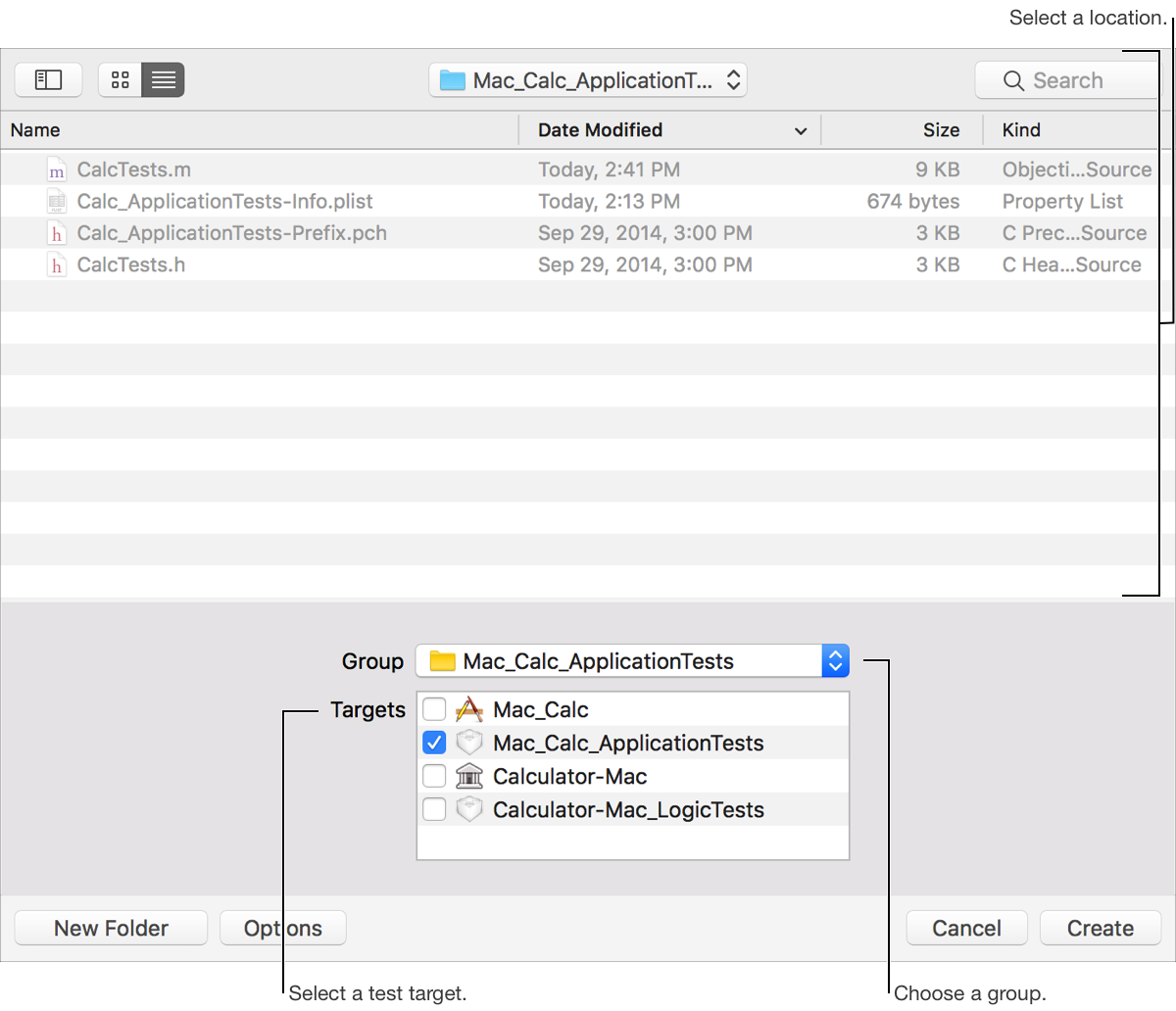
Click the Create button.
A new class is added to the target, appears in the Test navigator, and opens in the editor area. The new class includes setUp, tearDown, testExample, and testPerformanceExample template methods.
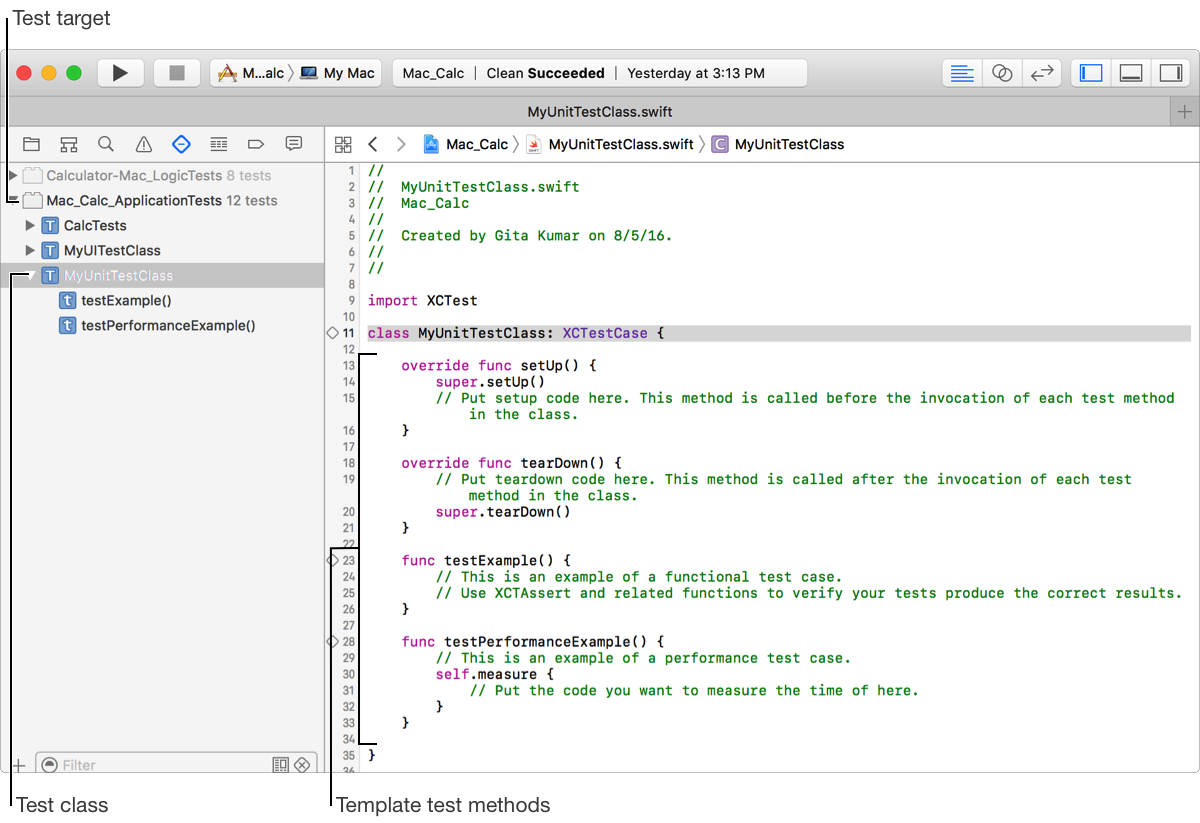
Expand the template methods and write new test methods.