
On macOS 10.14 and later, users can select light or dark mode in System Preferences. To support dark mode, first view your user interface in dark mode using Interface Builder. Then provide dark appearances and optionally, light appearances for the assets in the Asset catalog. Finally, preview the user interface in dark mode using the Assistant editor.
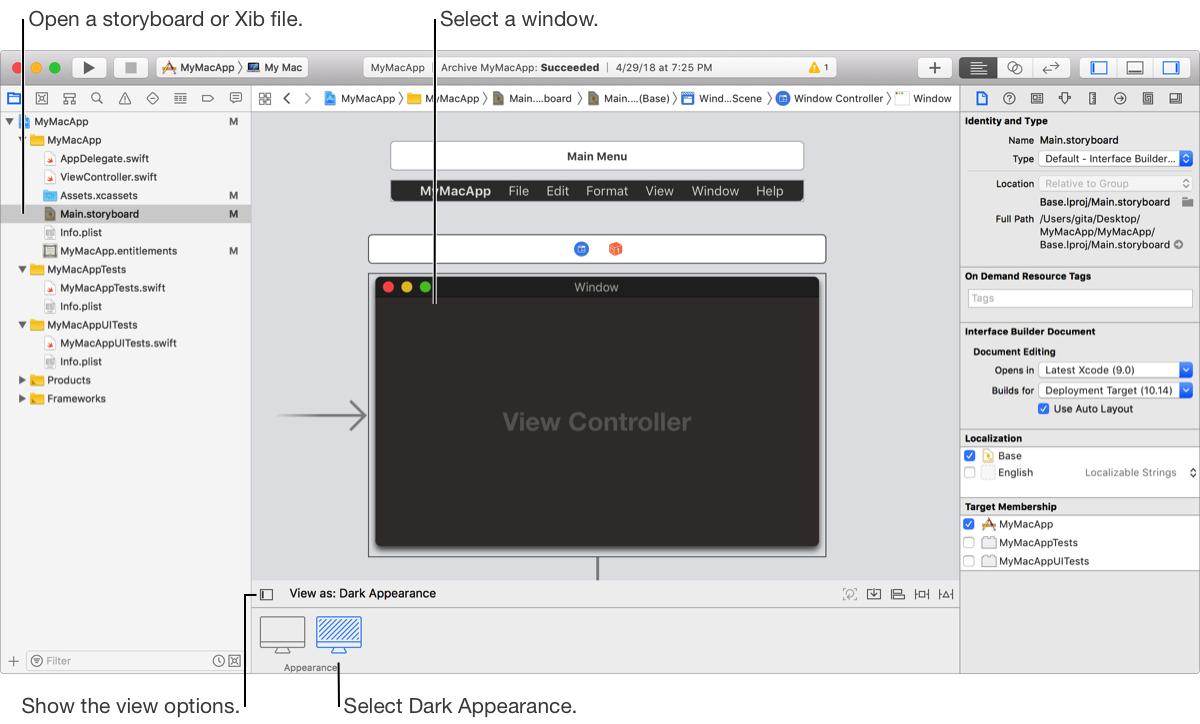
In Interface Builder, click the “View as” button in the layout bar below the canvas.
In the Appearance area, select the Dark Appearance icon.
The user interface switches to dark mode.
To view the user interface in light mode, select the Light Appearance icon.