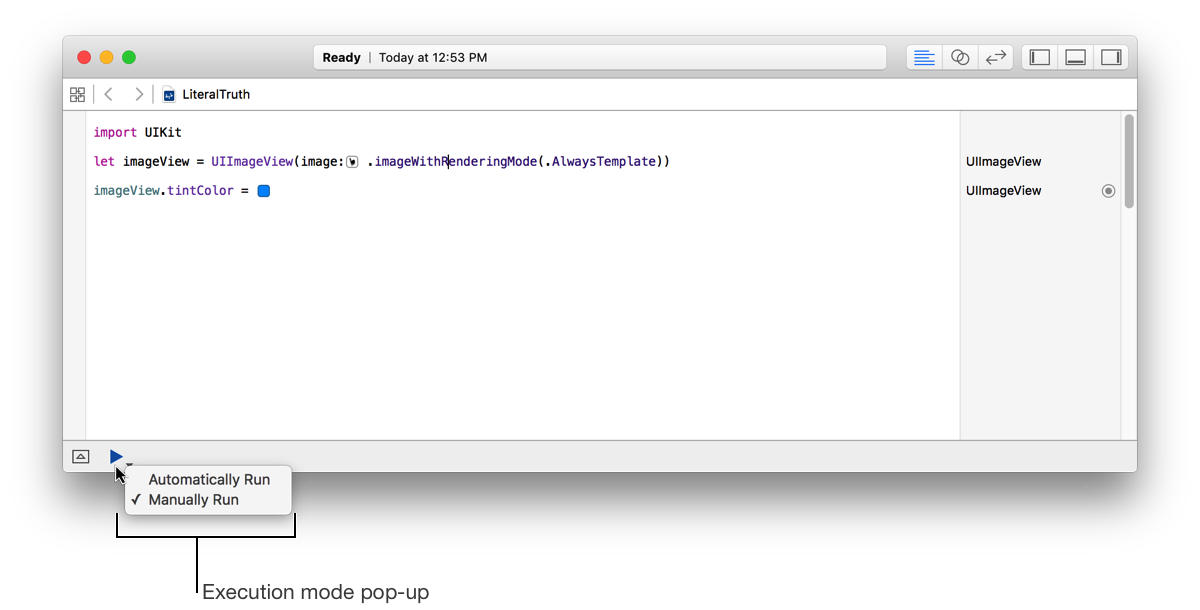
Use playgrounds to learn and explore Swift, prototype parts of your app, and create learning environments for others. The interactive Swift environment lets you experiment with algorithms, explore system APIs, and even create custom views.
Share your learning with others by adding notes and guidance using rich comments. Create an explorable learning environment by grouping related concepts into pages and adding navigation.
Choose File > New Playground.
In the sheet, select the platform for the playground.
Choose the platform you want the playground to run on.
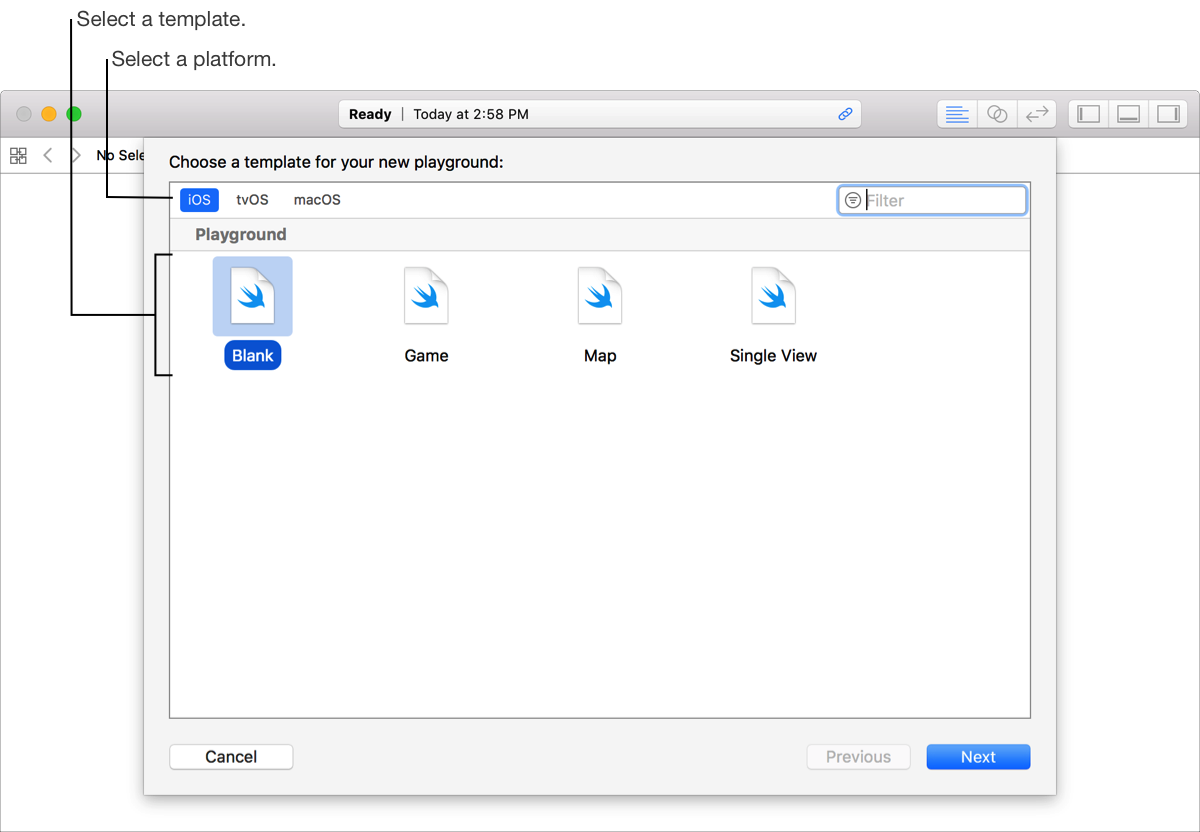
Under Playground, select a template for the playground, then click Next.
The template will import the platform-specific framework into the playground. For example, if you choose iOS, UIKit is imported.
In the sheet, enter the name of the file, select a location, then click Create.
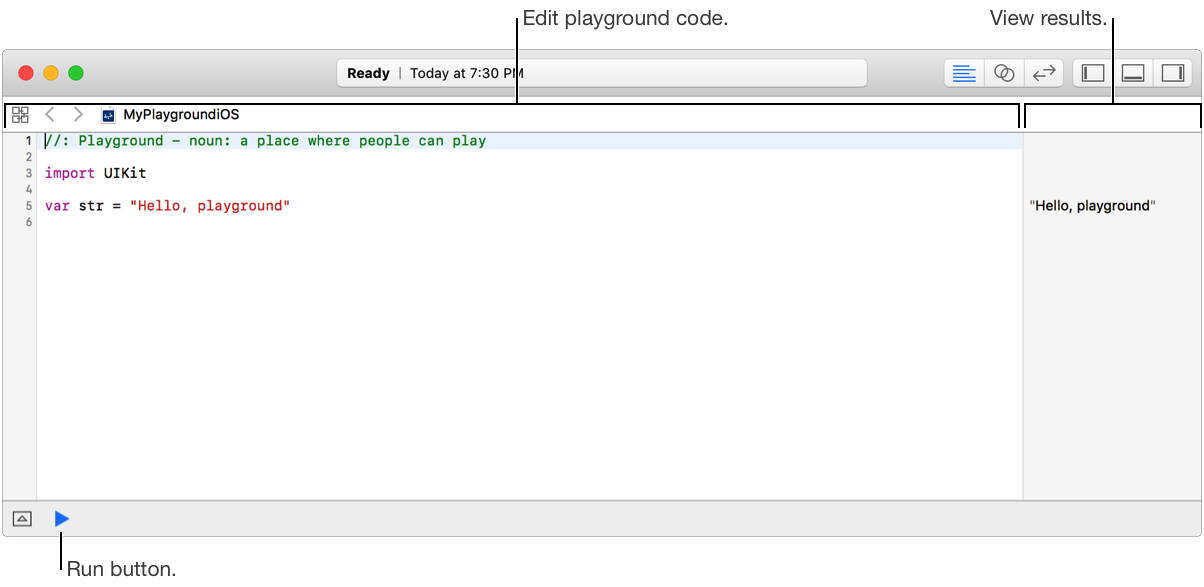
Enter Swift code into the playground source editor. The text you type into the editor is automatically saved.
When you finish a statement or pause typing, by default all the code in the playground is automatically evaluated. Results show in the sidebar on the right side of the source editor window.
Run the playground automatically each time code is added or changed, or run it manually.
In automatic execution mode (the default), all the code in the playground is evaluated and run each time you finish a statement or pause typing.
In manual execution mode you click the Run button to evaluate and run all the code in the playground.
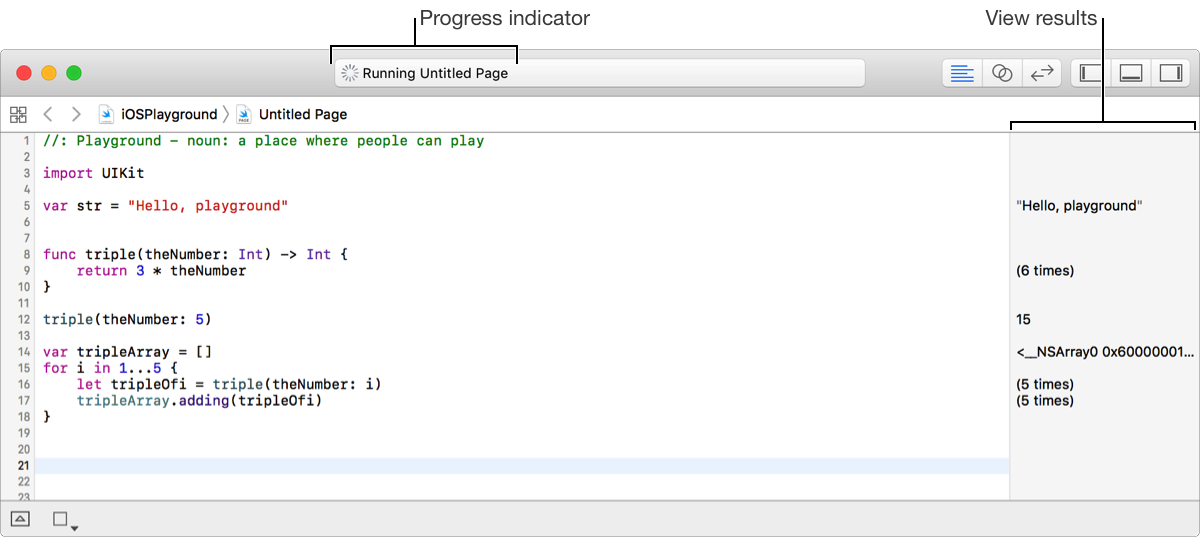
While the playground code is being executed, you see a progress indicator in the toolbar, as shown below.
To change the mode, click and hold the Run button until the pop-up menu appears, and choose the desired mode.