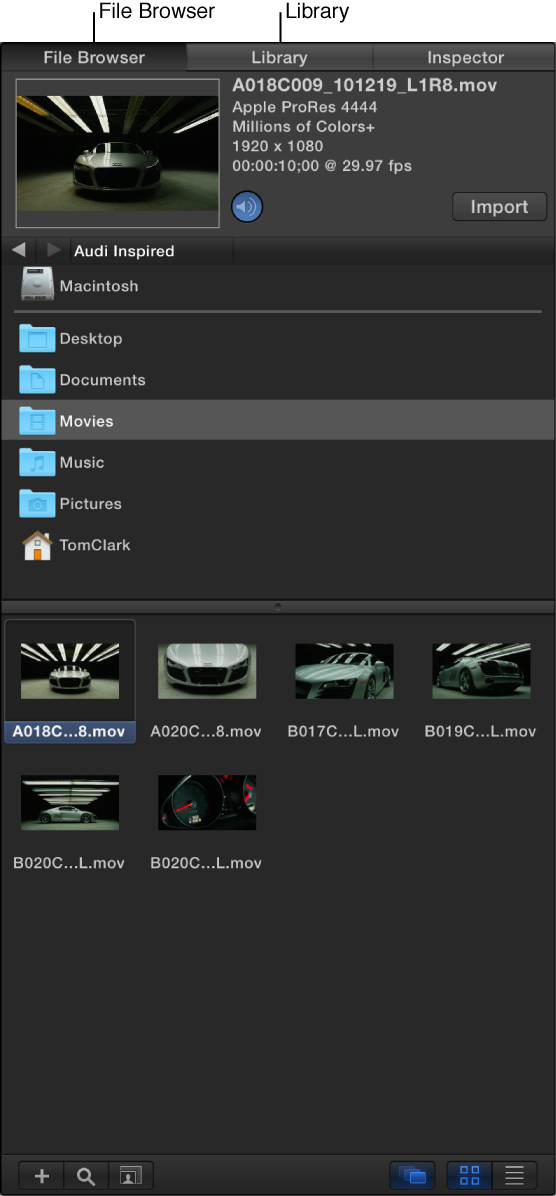

After you create a project, you add media—video clips, still images, special effects, and so on—to create a composition. Motion provides two easy ways to add this content to your project:
File Browser: Locate external video clips, still images, and audio files on your computer or on networked storage devices, then import this media into your Motion project. See File Browser overview.
Library: Search for high-quality content that comes with Motion (text styles, animated graphics, special effects, and so on), then add this content to your Motion project. See Library overview.
The File Browser and Library, located on the left side of the Motion workspace, display all of your available content in hierarchical, searchable lists. Here you can also preview selected content before you add it to your Motion project.
Media files imported from your computer or networked devices become source media. Source media can be scaled (resolution), cropped, exchanged or replaced, duplicated, revealed in the Finder, and so on. See Source media overview.