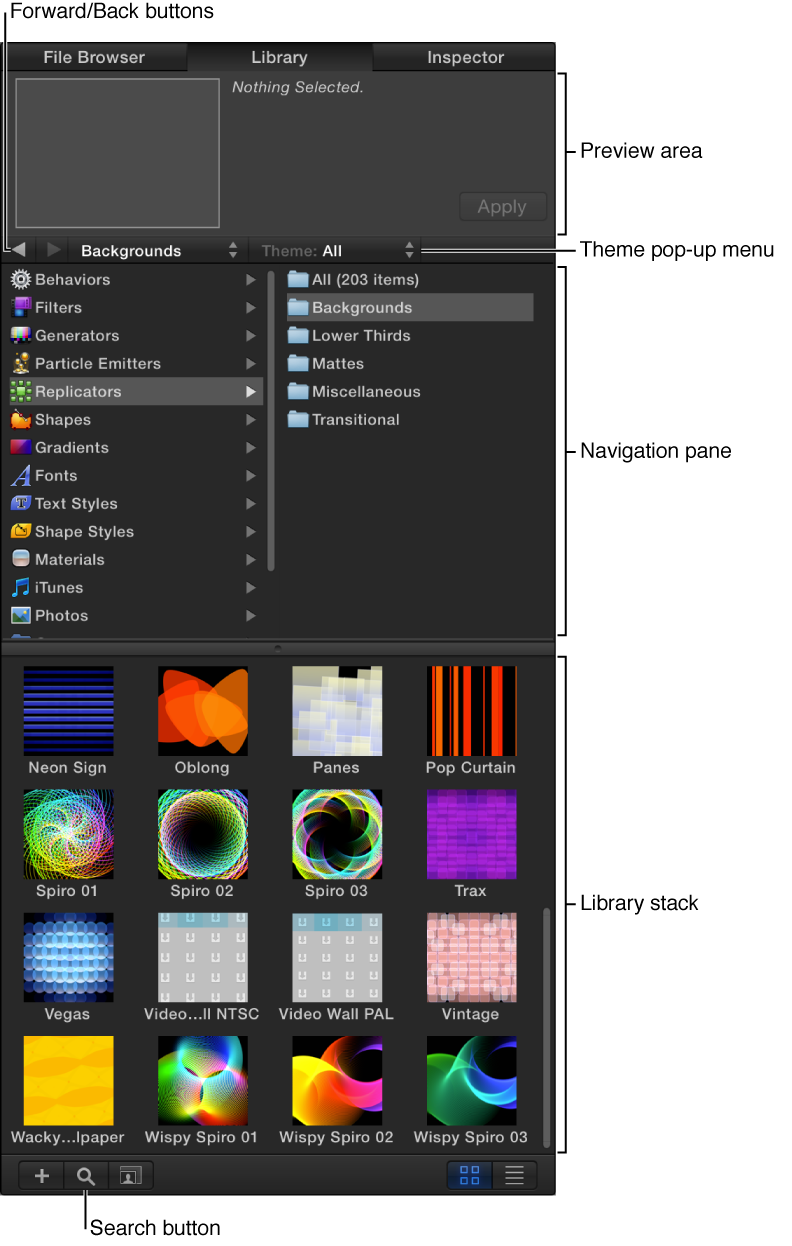
Preview area: At the top of the Library, a thumbnail image displays a video preview of content selected in navigation areas of the Library (special effects, text styles, graphical art, and so on).
Navigation pane: Just below the preview area is a two-column pane displaying the categories and subcategories of content and effects available in Motion. Navigation arrows let you step forward and back through recently viewed categories of content. A pop-up menu lets you filter content by theme (Abstract, SciFi, Urban, and so on).
Library stack: When you select a category and subcategory in the navigation pane, the contents of the subcategory are shown in the lower area of the Library.