
Select a view object on the canvas or in the Debug navigator.
Open the Object inspector.
Click on the Open Source Code button ( ) next to a Class Name entry in any of the groups in the Object inspector.
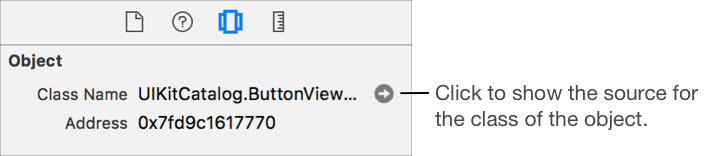
The source code file opens in the main editor. Option-click to open the file in the assistant editor.