) in the Inspector bar.
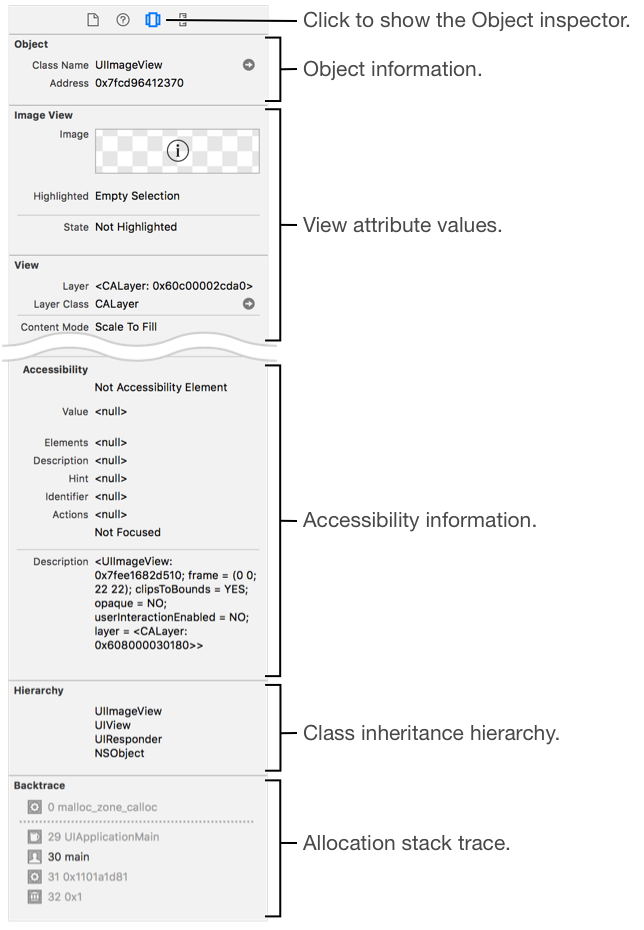
Use the Object inspector to view information for the selected object in the view debugger. To open the Object inspector, click the Object button () in the Inspector bar.
Attribute group | Contents |
|---|---|
Object | The class and memory address. |
View class | One section of the attributes of each class in the inheritance hierarchy of the selected view object. |
Accessibility | The accessibility attributes. |
Hierarchy | The class inheritance hierarchy. |
Backtrace | An allocation stack trace. |
Note: To show a backtrace, set logging for malloc to All Allocation and Free History in the runtime diagnostics of the scheme editor.