
You can open Pages documents saved on your Mac, in iCloud Drive, on connected servers, and in third-party storage providers. If you can’t open a Pages document, make sure that you have the latest version of Pages from the Mac App Store. If a document is dimmed and can’t be selected, it means the document can’t be opened by Pages.
You can open and edit Microsoft Word documents (files with a .doc or .docx filename extension) in Pages, then save them as Pages or Word documents, or as PDFs.
Do any of the following:
Open a document on a Mac: For a Pages document, double-click the document name or thumbnail, or drag it to the Pages icon in the Dock or Applications folder. For a Word document, drag it to the Pages icon (double-clicking the file opens Word if you have that app). You can’t open PDFs in Pages.
Open a document you recently worked on: In Pages, choose File > Open Recent (from the File menu at the top of your screen). Pages shows up to the last ten documents you opened.
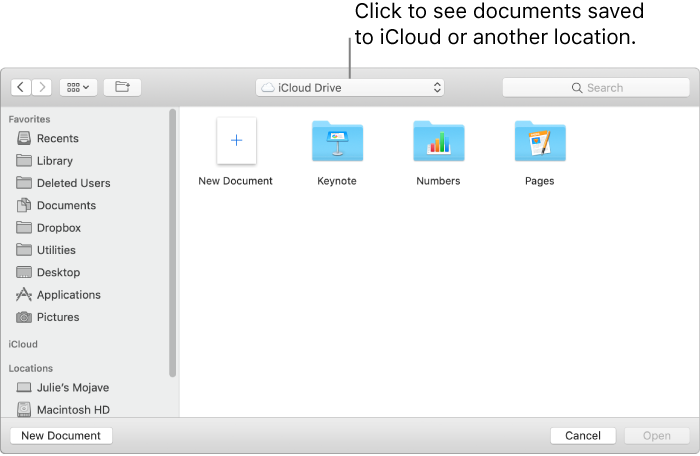
Open a document stored somewhere other than your Mac (such as iCloud Drive): In Pages, choose File > Open (from the File menu at the top of your screen). In the dialog, click a location in the sidebar on the left, or click the pop-up menu at the top of the dialog, then choose the location where the document is saved. Double-click the document to open it.
When you open a document that uses fonts not installed on your computer, a missing font notification appears briefly at the top of the document. In the notification, click Show and choose a replacement font.
Close a document but keep Pages open: Click the red close button in the top-left corner of the Pages window, or press Command-W.
Close the document and quit Pages: Choose Pages > Quit Pages (from the Pages menu at the top of your screen). All of your changes are saved.