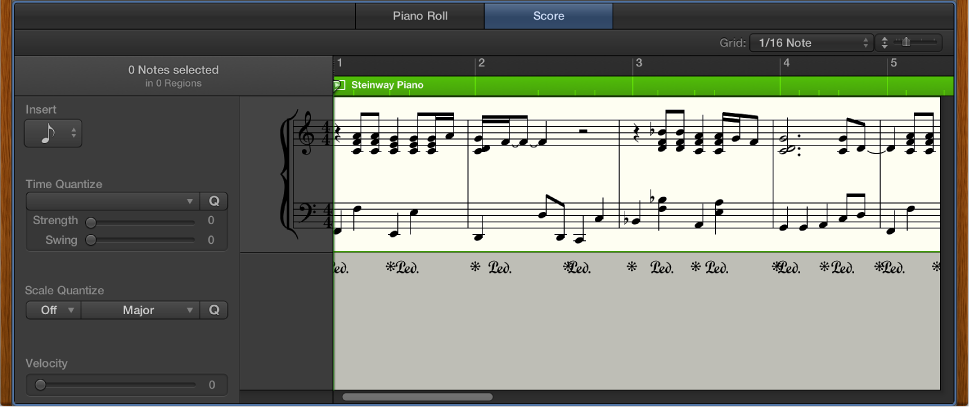

You can view MIDI regions in software instrument (and external MIDI instrument) tracks as music notation in the Score Editor. Notes and other musical events are displayed as standard notation, along with common symbols such as time and key signature, bar lines, and clef signs. You can add and edit notes, add sustain pedal markings and other symbols, and print the score.
The Score Editor provides visual quantization so that you can control the display of note values without altering the timing of your recordings, and change the displayed musical key without altering the playback of your MIDI recordings.
 When Show Advanced Tools is selected in the Advanced preferences pane, you can control many additional aspects of music notation. You can:
View and edit multiple tracks in a score, displayed in a linear scrolling view, “wrapped” view, or multi-page view
Add notes and symbols from the Part box, including dynamics, phrase markings, and other symbols
Add lyrics and other text such as section markers and performance indications
Use additional tools (the Pointer, Pencil, Eraser, Text, Layout, Zoom, Voice Separation, and Solo tools) in the Score Editor
Edit region parameters in the Region inspector to control how regions appear in the score
Use staff styles to control the display of rests, stems, ties, and beams, and adjust the size of and space between staffs. You can choose different staff styles or customize and create your own staff styles to use in your scores.
Define different instrument groups using score sets to create full scores, parts, and lead sheets
Edit the overall score layout, including numbers, names, and spacing
Share the score by printing it or exporting it to a PDF file
 When Additional Score Options is selected in the Advanced preferences pane, you can access the following options for more specialized notation projects. You can:
Add and edit staff styles for individual MIDI regions
Access additional choices in the Staff Style window (for mapped instruments and TAB)
Create Part box sets with your own combinations of score symbol groups for easy access
Access additional symbols from the Part box, including tablature and guitar performance symbols
Create and edit chord grids for guitar or other instruments, using standard or open tunings
Access additional tools from the Score Editor Tool menu.
Access additional Score preferences and Score project settings