
Use the General pane in the preferences window to configure basic Instruments behavior such as startup options, keyboard shortcuts, and warning options.
Select Instruments > Preferences, and click General.
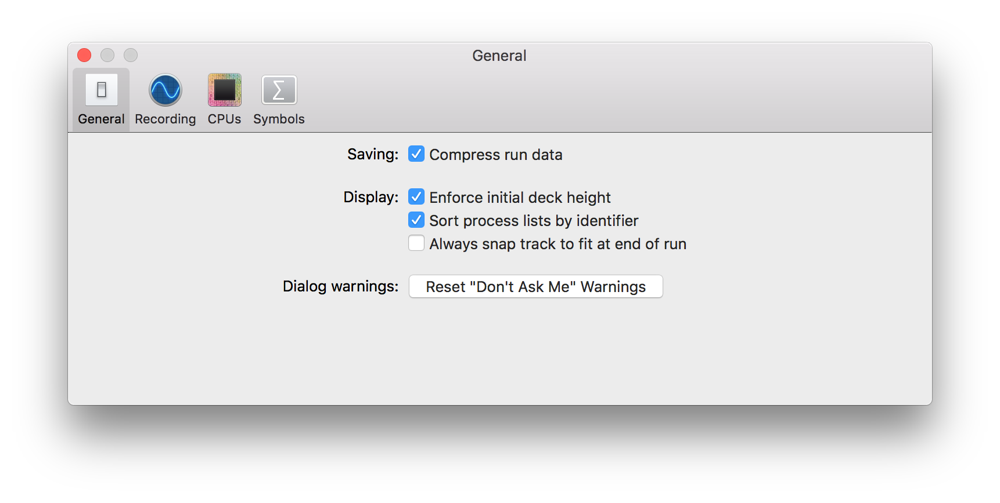
You can configure the following options:
Option | Description |
|---|---|
Compress run data | Compresses each saved run into zip format. |
Enforce initial deck height | Prevents custom deck height from being restored when an instrument document is reloaded and uses the template’s default deck height. When deselected, saves and restores the current deck height. |
Sort process lists by identifier | Sorts all lists of apps in Instruments by process ID. When deselected, sorts apps alphabetically. |
Always snap track to fit at end of run | Automatically scales the track in a trace document at the end of a run to fit all data in the window. |
Reset “Don’t Ask Me” Warnings | Reenables dialog warnings you previously elected not to show. Instruments has several warning dialogs that you can disable by selecting the “Do not show this message again” checkbox in the dialog. To reenable all of these warning dialogs, click the Reset “Don’t Ask Me” Warnings button. |