
If you have an Xcode project with the source code for the symbols listed in a stack trace, Instruments can open Xcode so that you can make any desired changes.
Find an icon for your code (denoted by a user ( ) symbol) in the detail pane.
Control-click on the entry, in the popover that appears choose Reveal in Xcode.
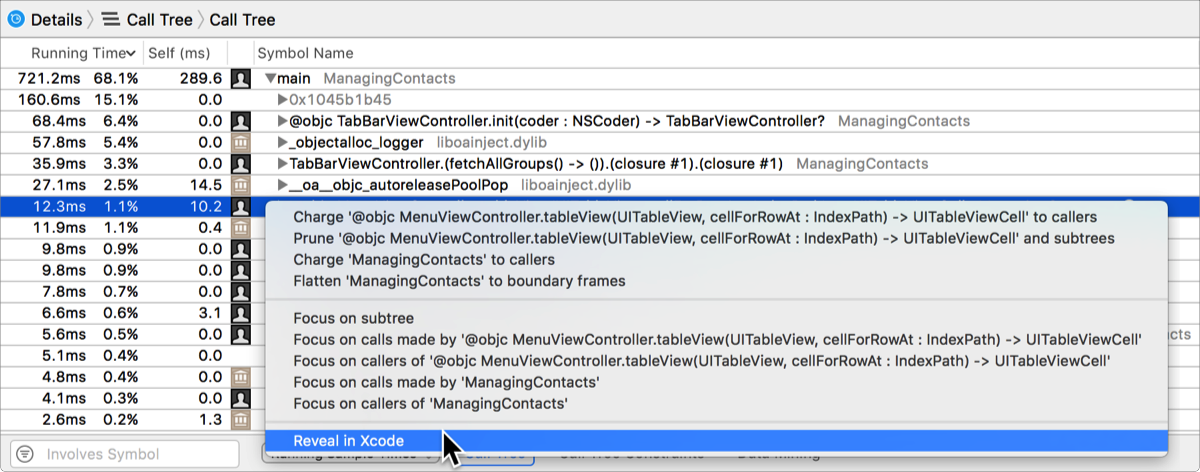
To make it easier to find symbols for your code, you can use the display settings for the instrument to filter symbols from system libraries using the filter and configuration bar at the bottom of the display pane.