
You can automatically record certain events in the background by triggering Time Profiler from the Instruments app icon in the Dock.
With Instruments open, Control-click the Instruments icon in the Dock.
From the shortcut menu that appears, choose the process to profile to start recording.
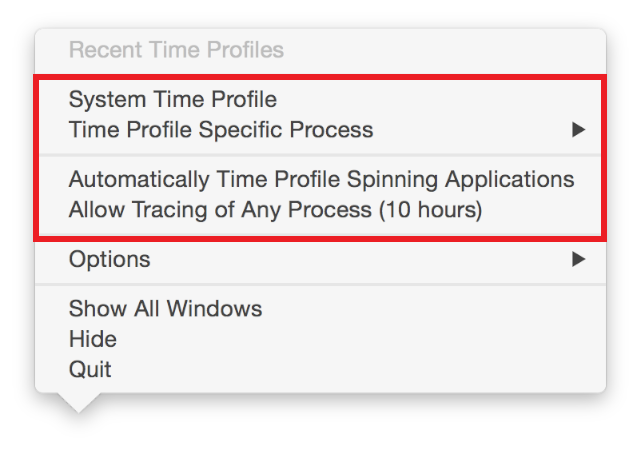
Options include:
System Time Profile. Starts profiling all system processes.
Time Profile Specific Process. Starts the Time Profiler instrument with a specific app from the submenu.
Automatically Time Profile Spinning Applications. Automatically profiles blocked (spinning) apps in the future.
Allow Tracing of Any Process (10 hours). Trace any process that occurs in the next 10 hours. Bypasses having to enter a password during the 10 hours.
Note: Data recorded in this manner is saved in .dtps format to ~/Library/Application Support/Instruments/Unimported/.