
Selecting clips is the first step in building your movie.
For information about selecting a portion of a clip, see Select part of a clip.
In the browser or timeline, click the clip.
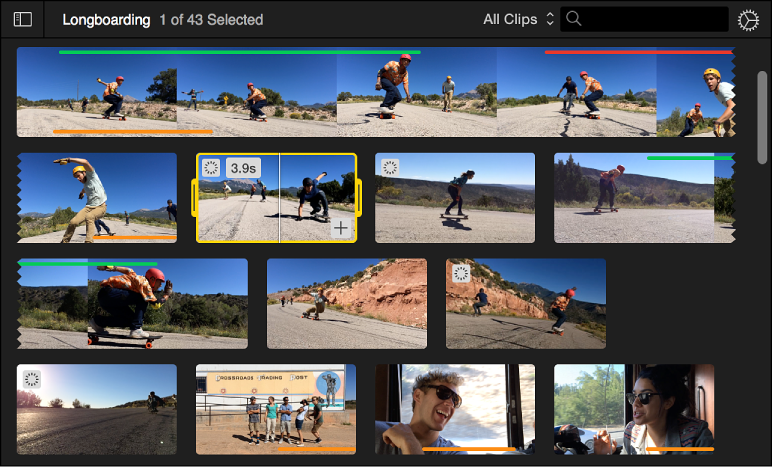
In the browser, a yellow border with trim handles appears around the clip. When you move the pointer over the clip, its duration is shown in the upper-left corner of the filmstrip.
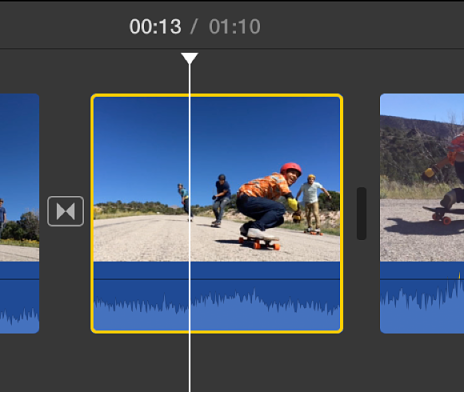
In the timeline, a yellow border appears around the clip, and the playhead moves to the point where you clicked.
Select a group of clips: Hold down the Command key as you click each clip you want to select, or drag a selection rectangle around the clips.
Select all video clips in your movie: Select a clip, and choose Edit > Select in Movie > Video Clips.
In addition to selecting all of the clips in a movie, you can select all of the transitions, photos, animated travel maps, or backgrounds.
Choose Edit > Select in Movie, and choose a type of content from the submenu.