
Pedalboard simulates the sound of a number of famous “stompbox” pedal effects. You can process electric guitar, bass guitar, and other tracks with a combination of stompboxes.
You can add, remove, and reorder pedals. The signal flow runs from left to right in the Pedal area. The addition of two discrete busses, coupled with splitter and mixer units, lets you create custom pedal combinations.
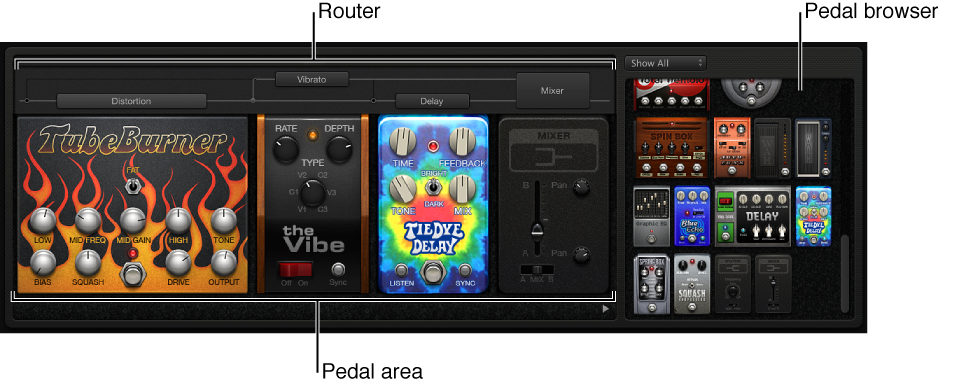
Pedal Browser: Shows all pedal effects and utilities. These can be dragged into the Pedal area as part of the signal chain.
Pedal area: This is where you determine the order of effects and edit effect settings. You can add, replace, and remove stompboxes here. See View and add pedals.
Router: Used to control signal flow in the two effects busses (Bus A and Bus B) available in Pedalboard. See Control pedal routing.
With the audio track selected, click the Smart Controls button  in the control bar.
Click the Pedals button  in the Smart Controls menu bar.
You can also use the Pedalboard plug-in on audio and software instrument tracks. For information about using effect plug-ins, see Add and edit effect plug-ins.