
Make it easier to find issues by reducing the number of view objects show on the canvas. You can do this in two ways:
Choose the view object used for the top of the view hierarchy displayed on the canvas.
Choose the topmost and bottommost view objects displayed on the canvas
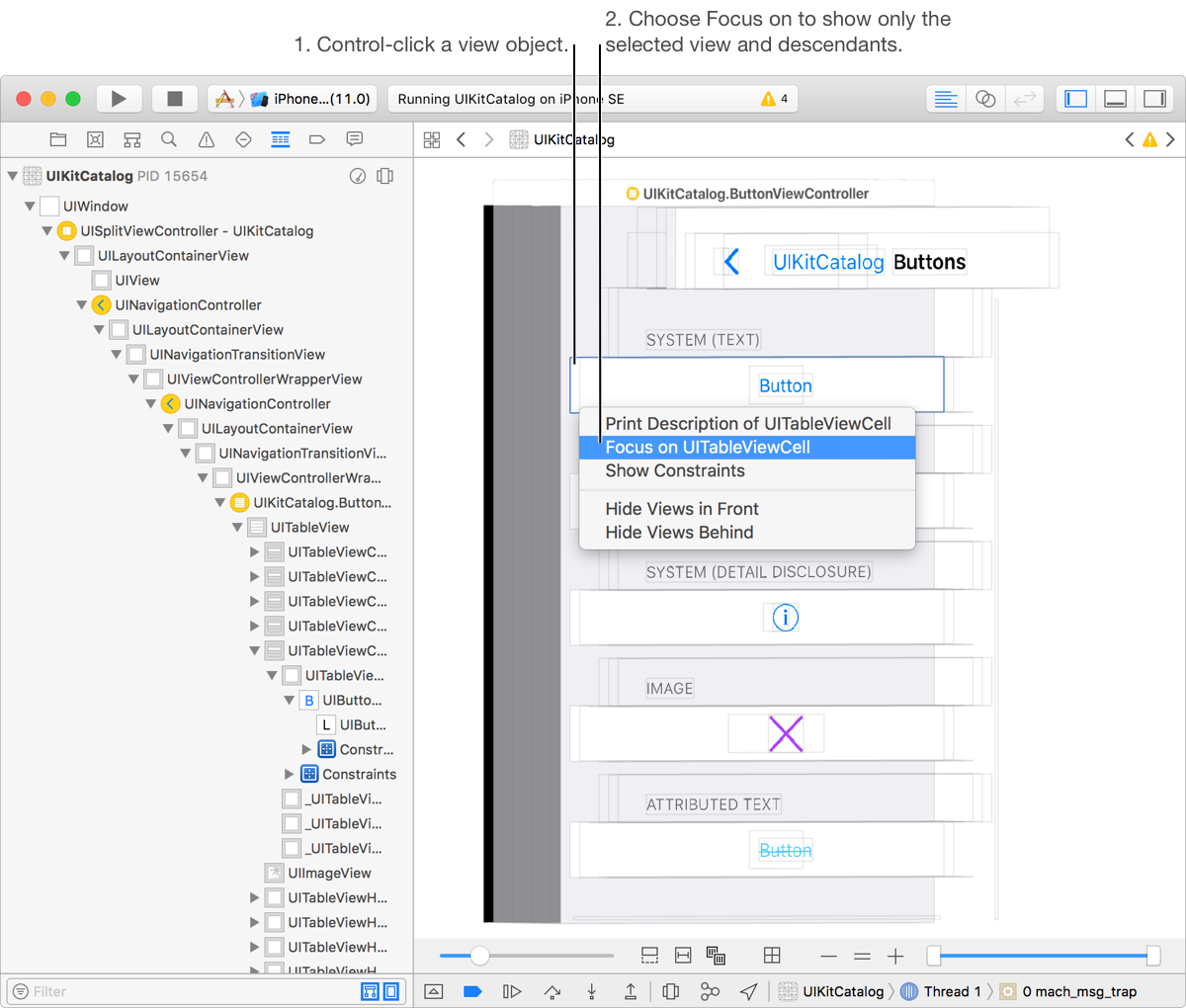
Control-click on the desired object on the canvas or in the Debug navigator.
Choose Focus on in the pop-up menu that appears.
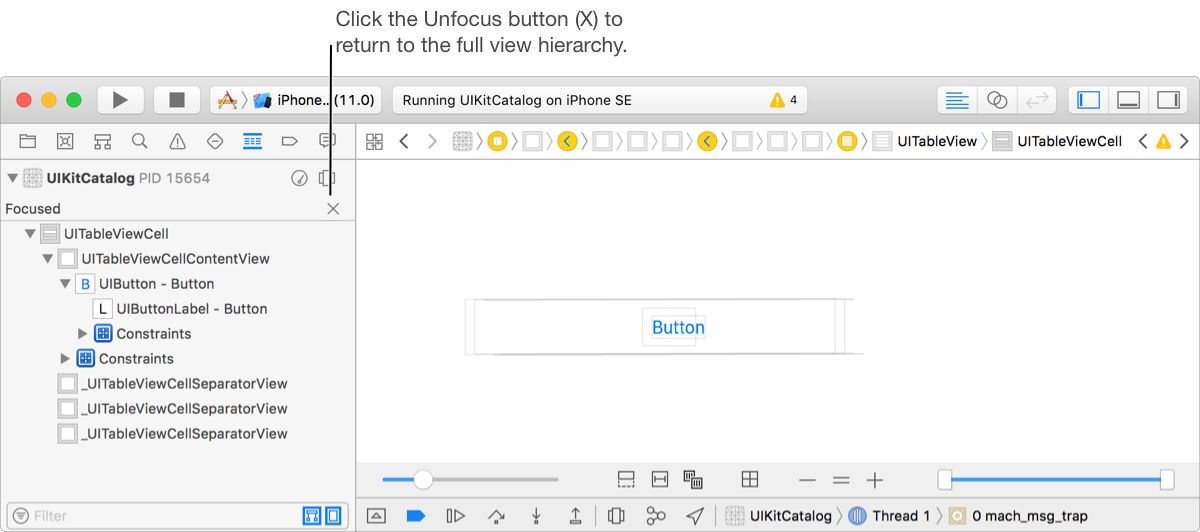
The canvas updates to show only the selected view and its descendants.
To show the full view hierarchy click the Unfocus button (X) in the Debug navigator. Alternately, double-click on the canvas outside the displayed views.
Use the slider on the right of the view debugger controls to change the range of view objects shown on the canvas.

Move the thumb on the left of the slider to change the bottommost view.
Move the thumb on the right of the slider to change the topmost view.