
You can lay out much of your user interface with standard windows, views, and controls from the Object library. The objects in the library meet Apple’s human interface guidelines and have been tested to ensure that they function properly.
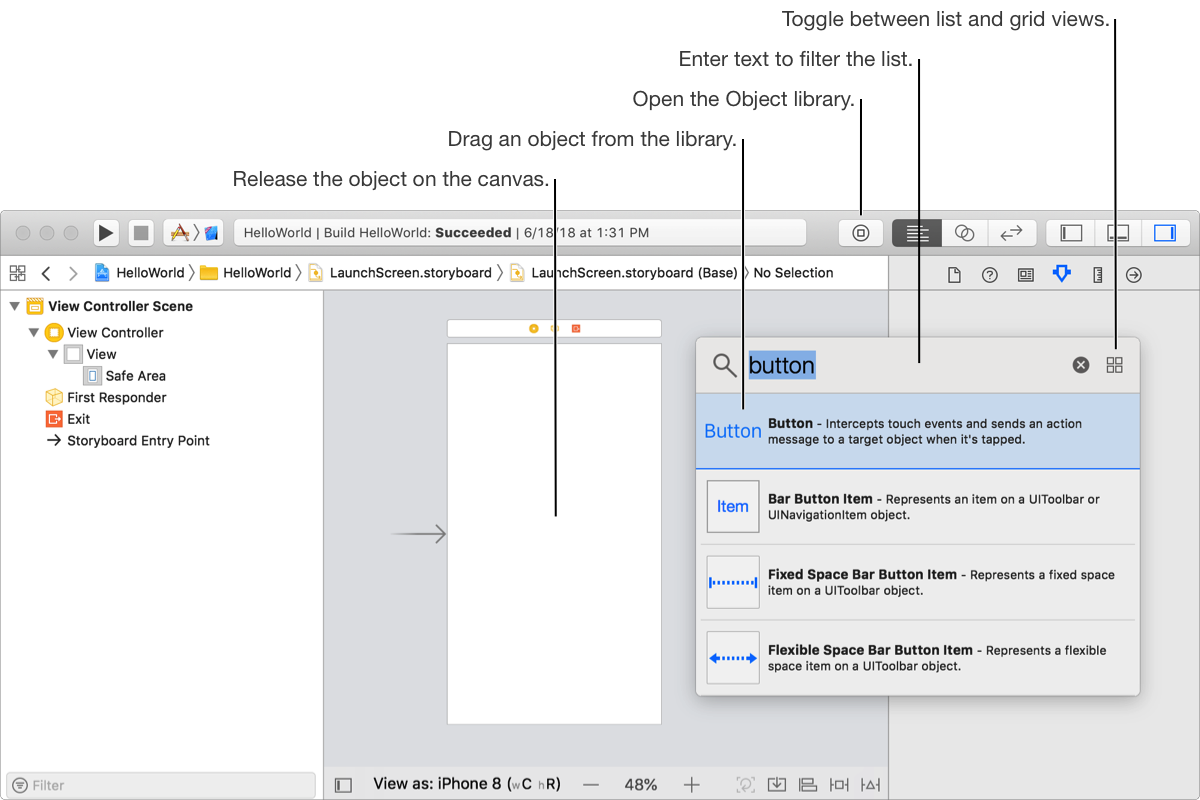
In Interface Builder, click the Object library ( ) in the toolbar.
The Object library opens in a separate window. Alternatively, Option-click the button to open the Object library in a persistent window.
To filter the objects, enter text in the filter bar at the top of the library.
To toggle between grid and list view, click the button in the upper-right corner of the library.
The list view shows descriptions of the objects.
Drag an object from the library to the canvas.
In the canvas, Interface Builder highlights a valid destination in blue. Use the guidelines to position and align the object.
Alternatively, drag the object to the outline view. (To show the outline view, click the Show Document Outline button ( ) at the lower-left corner of the canvas.)
In the inspector area, edit the attributes of the object.