
You can edit all occurrences of a symbol, such as a local variable or parameter, by editing just one occurrence in the current file.
Command-click on a symbol in the source editor, then choose Edit All in Scope from the Action menu.
As you edit the symbol, all highlighted occurrences of the symbol are updated.
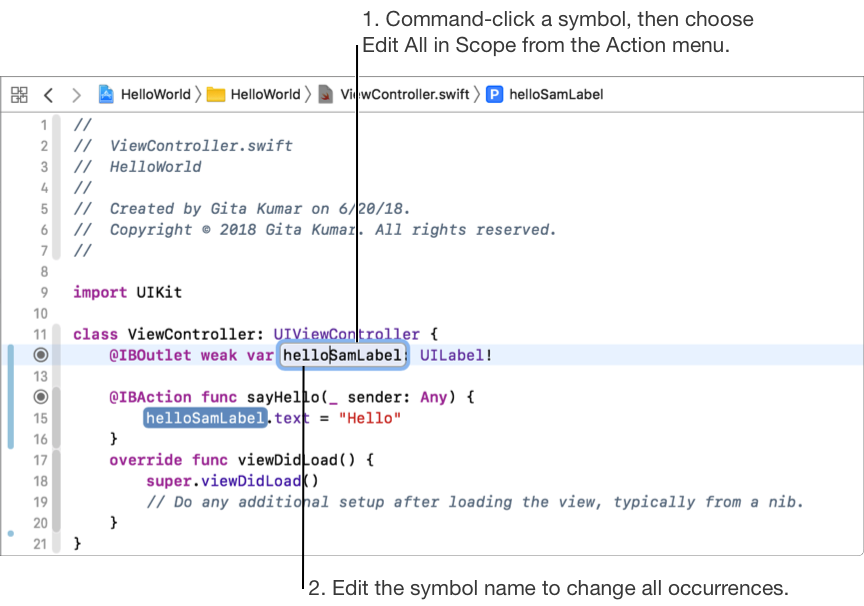
Press Return to accept the change or Escape to cancel.
Command-click on a symbol in the source editor, then choose Rename from the Action menu.
The edit area collapses to show all source, Interface Builder, and Core Data files in which the symbol occurs.
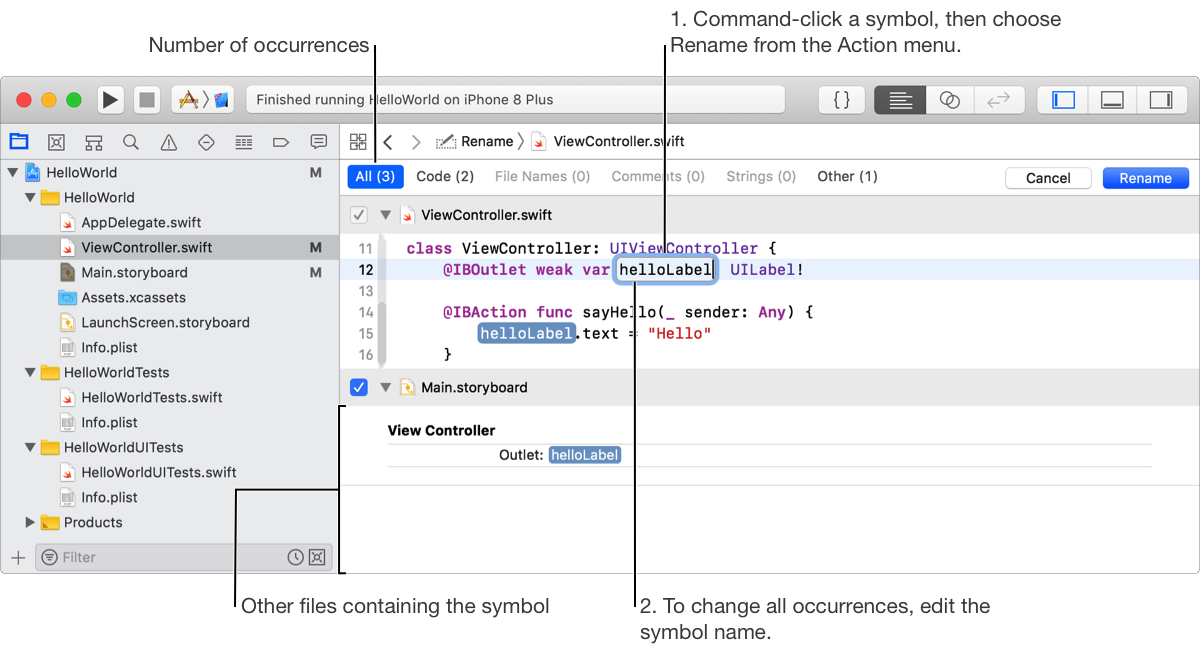
As you edit the symbol, all occurrences of the symbol are updated.
Press Return to accept the changes or Escape to cancel