
Use the File inspector to give a project or an app a new name.
Select your project in the Project navigator.
In the Identity and Type section of the File inspector, enter a new name into the Name field.
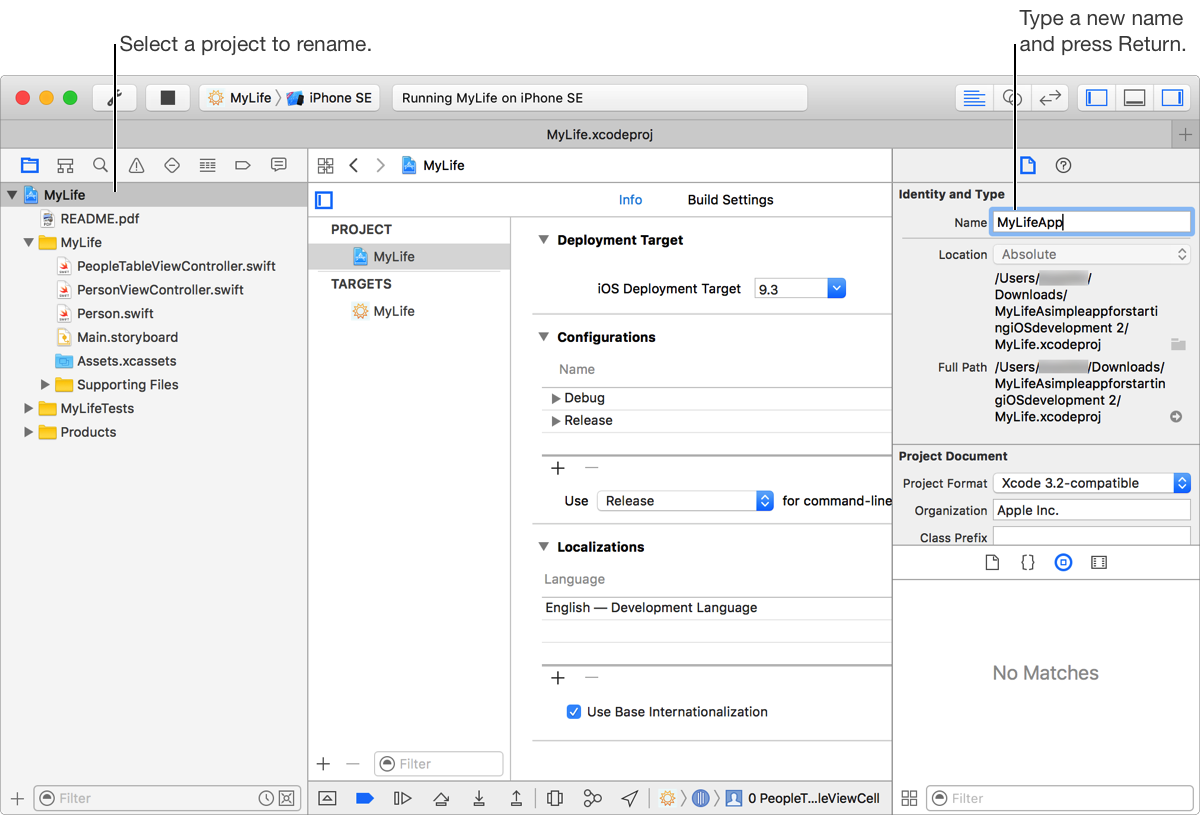
Press Return.
A dialog is displayed, listing the items in your project that can be renamed. The dialog includes a preview of how the items will appear after the change.
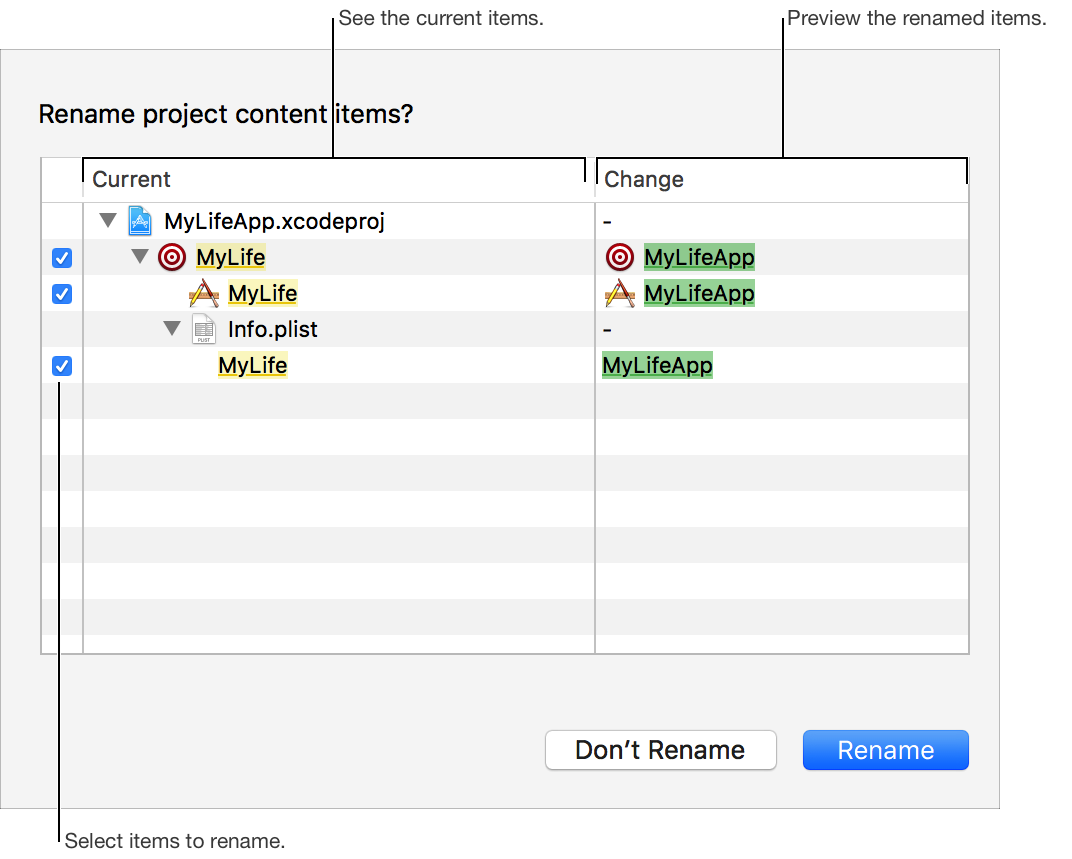
To selectively rename items, disable the checkboxes for any items you don’t want to rename. To rename only your app, leave the app selected and deselect all other items.
Click Rename.