
Use the Symbol navigator to browse the symbols available across all files in your project, including classes, protocols, properties, functions, structs, unions, enums, types, variables, and globals. Select one to display it in an editor area pane.
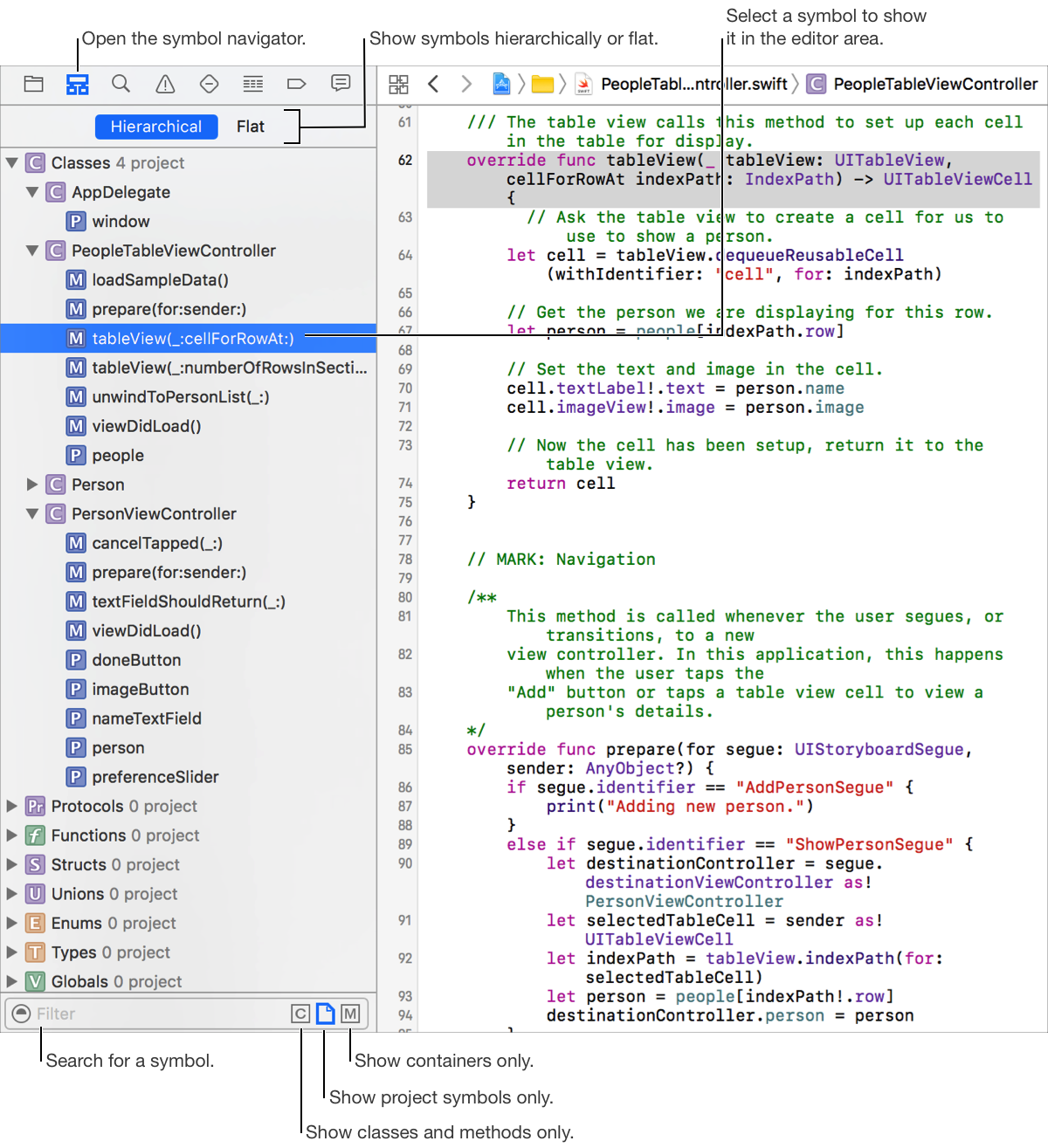
Show only classes and protocols: Click the Classes and Protocols button ( ) in the filter bar at the bottom.
Show only project symbols: Click the Project Symbols button ( ) in the filter bar at the bottom.
Show only containers, such as classes and functions: Click the Containers button ( ) in the filter bar at the bottom.
Show the inheritance hierarchy of classes and protocols: Click Hierarchical at the top.
Show a flat list of classes and functions: Click Flat at the top.
Tip: You can navigate the symbols in the current file using the jump bar at the top of an editor area pane.