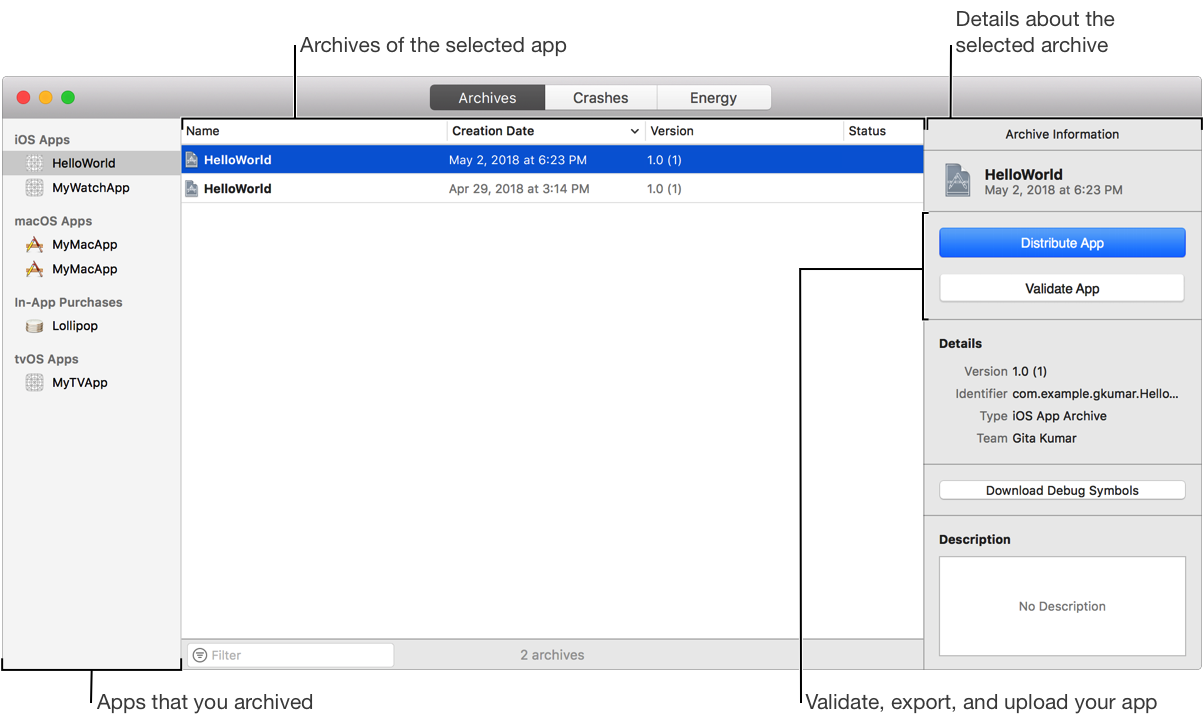
Use the Archives organizer to manage archives of your apps. An archive allows you to build your app and store it, along with critical debugging information, in a bundle that’s managed by Xcode. In the Archives organizer, you can:
Export your app to distribute it on registered devices for testing, distribute it outside the Mac App Store, or upload it later using Application Loader.
Validate an archive of your app (run software validation tests) before you upload it to App Store Connect.
Upload an app to App Store Connect, and later distribute it using TestFlight or distribute it through the App Store.
The distribution methods and distribution options depend on the platform and your program membership.
To open the Archives organizer, choose Window > Organizer, then click Archives.