
You can adjust paragraphs in a page, column, table cell, text box, or shape so that text is aligned to the left or right, centered, or aligned on both the left and right (justified).
You can also align text vertically in a text box, shape, or a table cell, column, or row.
Select one or more paragraphs; a text box; a shape with text; or a table cell, row, or column.
In the Format  sidebar, click the Style button near the top.
If the text is in a text box, table, or shape, first click the Text tab at the top of the sidebar, then click the Style button.
In the Alignment section, click the alignment buttons you want.
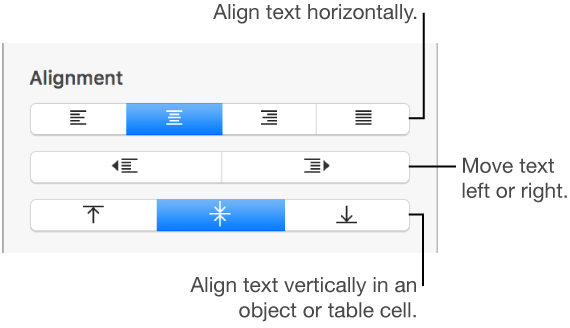
To apply these changes to all of the paragraphs in your document that use this paragraph style, click the Update button next to the paragraph style name at the top of the sidebar.