
Using paragraph styles is a quick way to uniformly format text throughout a document.
Select one or more paragraphs, or click anywhere in a paragraph to apply the style to only that paragraph.
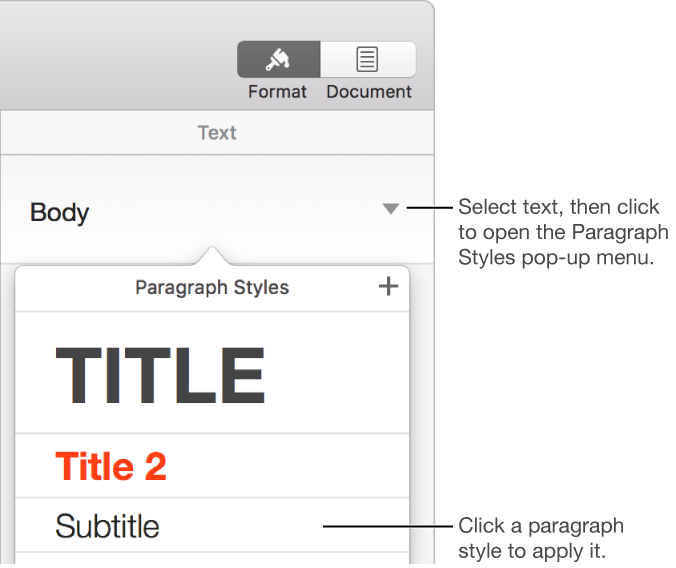
Click the paragraph style name at the top of the sidebar on the right, then choose a style from the Paragraph Styles pop-up menu.
If you don’t see a sidebar, click  in the toolbar. If the sidebar doesn’t show paragraph styles, click the Text tab at the top of the sidebar.
If you later change the look of text that has a paragraph style applied to it—for example, you make the text bold or change its color—an asterisk, and in some cases an Update button, appears next to the style’s name in the Paragraph Styles pop-up menu, indicating that the style has an override. You can update the paragraph style to incorporate the overrides if you want.
You can also apply character styles and apply list styles to selected text.
Tip: For faster formatting, create keyboard shortcuts to apply styles to text.