
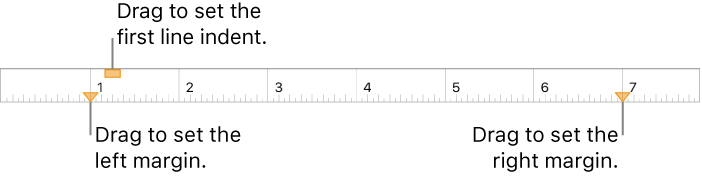
You can adjust the margins for specific paragraphs to indent them from the document margins, and change the indentation of the first line of each paragraph.
Tap in a paragraph, or select one or more paragraphs.
Tap  , then tap Ruler.
Drag the margin and paragraph indent markers to where you want them.
As you drag, you see a magnified view of the marker with its numerical location on the ruler to help you place it precisely.
You can adjust the amount of space between text and the text box or shape that contains it.
Select text, or tap a text box, a shape with text, or a table cell, column, or row.
Tap  , then tap Text or Cell.
In the Margin section, tap  or
or  to decrease or increase the amount of space.