
The Gradient generator initially creates a linear gradient. You can change the gradient type from linear to radial, add and remove colors in the gradient, and change the gradient start and end points. You can save a modified gradient to the Gradient category in the Library and apply it to shapes, text objects, or particle cells. Additionally, gradient controls can be keyframed to create a moving, color-changing gradient.
The Gradient generator is compatible with 360° projects.
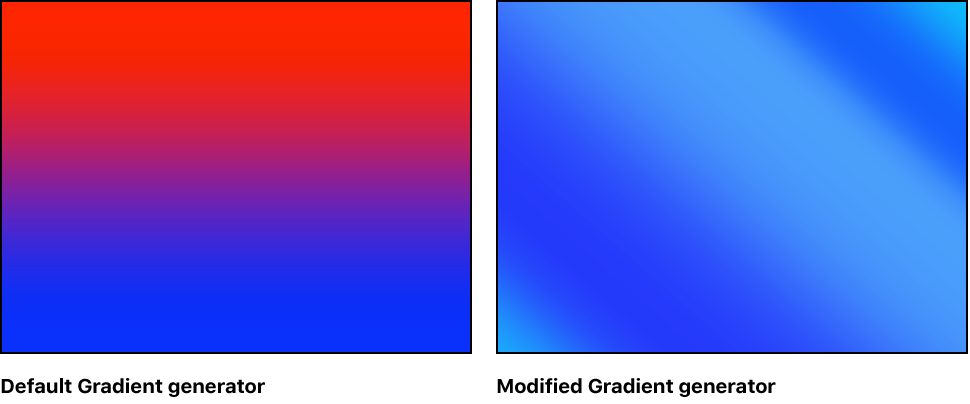
Adjust this generator using the controls in the Generator Inspector:
Gradient: Controls that set the color gradient. For information on using gradients, see Gradient editor controls.
Note: To adjust the gradient in the canvas, Control-click the selected generator and choose Edit Position from the shortcut menu (or choose the Adjust Item tool from the transform tools pop-up menu in the canvas toolbar).
End Condition: A pop-up menu (available when Radial is chosen from the Type pop-up menu in the Gradient editor) that specifies the end condition. (For more information on the Type pop-up menu, see Basic gradient controls.) The End Condition pop-up menu has two choices:
Hold Last Tag: Extends the last color defined in the gradient editor beyond the gradient (defined by the Start and End parameters) to the edge of the canvas.
Transparent Tag: Ends the gradient at the location defined by the Start and End parameters. Because transparency is created, objects below the gradient in the project appear beyond the end of the gradient.
360° Aware: Eliminates seams created when the generator is added to a 360° environment.