
Time Remap: A pop-up menu that sets how time is remapped in the clip. There are two menu choices:
Constant Speed: Retimes the entire clip using the same value.
Variable Speed: Animates the speed of the clip over time.
Speed: A value slider that sets the speed of the clip as a percentage. The default is 100%. Values lower than 100 play back the clip more slowly than its original speed and also extend the duration of the clip. Values higher than 100 play back the clip faster than its original speed and shorten the duration of the clip.
This parameter appears only when Time Remap is set to Constant Speed.
Retime Value: A value slider used to adjust the time value of the clip at a given frame. When you set Time Remap to Variable Speed, two keyframes are generated at the first and last frame of the clip. The two default keyframes represent 100% constant speed. Adding keyframes to this parameter and assigning them different Retime Values makes the speed of the clip ramp from one speed to another.
This parameter appears only when Time Remap is set to Variable Speed.
In: A value slider that sets the In point of the layer, in both constant and variable speed modes. Adjusting this parameter moves the layer In point to the specified frame without affecting the duration of the layer.
Out: A value slider that sets the Out point of the layer, in both constant and variable speed modes. Adjusting this parameter moves the layer Out point to the specified frame without affecting the duration of the layer.
Duration: A value slider that sets the total duration of the layer. If Time Remap is set to Constant Speed, adjusting Duration will also affect the Speed and the Out point. If Time Remap is set to Variable Speed, adjusting Duration does not affect variable speed playback.
Reverse: A checkbox that controls whether the clip is played back in reverse.
Frame Blending: A pop-up menu that sets the method used to determine how the image is blended during each frame of playback. The Frame Blending pop-up menu contains the following items:
None: Displays the frame from the original clip nearest the source frame.
Blending: The default setting. Displays a blend of the individual pixels of adjacent frames.
Motion-Blur Blending: Applies a motion blur algorithm to the blended frames.
Optical Flow: Uses an optical flow algorithm to blend the two frames surrounding the desired frame. Using this method affects playback performance most significantly. To display frames properly, Motion analyzes the clip to determine the directional movement of pixels. Only the portion of the clip used in the project (the clip between the In and Out points) is analyzed. When you choose Optical Flow, an analysis indicator appears in the lower-left corner of the Canvas.
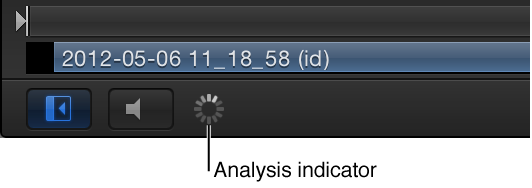
If you play back the project before the analysis is complete, the clip will appear as if Frame Blending is set to None. When the analysis is complete, the indicator disappears, and the clip will play back properly. You can perform optical flow analysis on multiple clips simultaneously. The clips are processed in the order—the first clip you apply optical flow to is processed first, and so on.
Note: The more motion contained in a clip, the longer the analysis takes.
For information on pausing, reordering, or stopping a clip analysis, see Manage retiming analysis.
Important: When importing interlaced footage and using the Optical Flow method for frame blending, be sure the Field Order parameter (in the Media Inspector) is assigned to the correct value. Otherwise, artifacts may appear in the retimed layer.
End Condition: A pop-up menu to set how playback continues when the end of the clip is reached. There are four options:
None: The default setting. The layer’s duration in your project is equal to the duration of its source media file.
Loop: When the last frame of the clip is reached, the clip loops back to the first frame and plays again. This can cause a jump in the clip’s apparent playback unless the clip was designed to loop seamlessly.
Ping-Pong: When the last frame of the clip is reached, the next iteration of clip playback is reversed. If you set a clip of a ball rolling on the floor to loop with the Ping-Pong option, it would appear to roll forward, then backward, then forward again for the duration of the layer. The Ping-Pong option lets you extend the duration of some video clips more smoothly than the Loop option.
Hold: This option freezes the last frame of the clip for the amount set in the End Duration slider.
Note: When using the Hold option with interlaced footage, ensure that field order is properly set in the Media Inspector. To modify a clip’s field order, select the clip in the Media list, then choose an option from the Field Order pop-up menu in the Media Inspector.
End Duration: A slider to set the number of frames by which the clip is extended at the end of its duration. This value can be adjusted only if End Condition is set to a value other than None.