Substance: A pop-up menu to set a substance type: Concrete, Fabric, Metal, Plastic, Stone, Wood, Flat, or Generic.
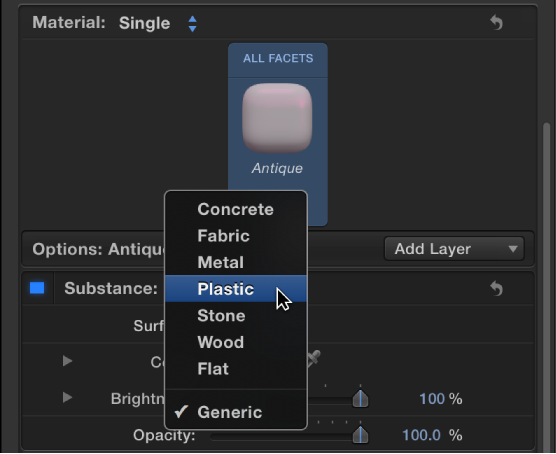

Use the Substance controls in the Appearance pane of the Text Inspector to modify the basic surface texture of 3D text. Depending on the option you choose in the Substance pop-up menu (at the top of the Substance section of the Appearance pane), different parameter controls become available.
Substance: A pop-up menu to set a substance type: Concrete, Fabric, Metal, Plastic, Stone, Wood, Flat, or Generic.
When Substance is set to Concrete
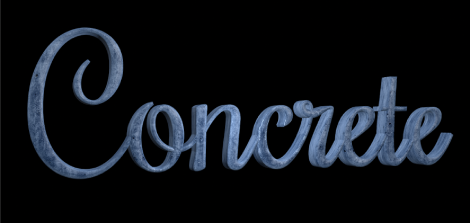
Type: A pop-up menu to choose a style of concrete (Aged, Colored, Smooth, and so on).
Depth: A slider to adjust the depth of surface irregularities in the concrete substance.
Placement: A group of controls (available when you click the disclosure triangle) to set how the concrete pattern is applied to the text object. For details, see Placement controls.
When Substance is set to Fabric
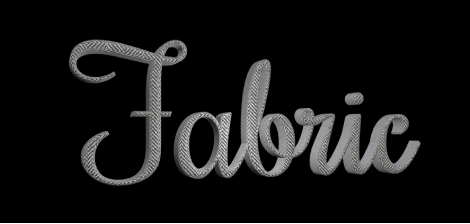
Type: A pop-up menu to choose a style of fabric (Denim, Tweed, Wool, and so on).
Roughness: A slider to adjust how raised and uneven the fabric pattern appears.
Placement: A group of controls (available when you click the disclosure triangle) to set how the fabric pattern is applied to the text object. For details, see Placement controls.
When Substance is set to Metal
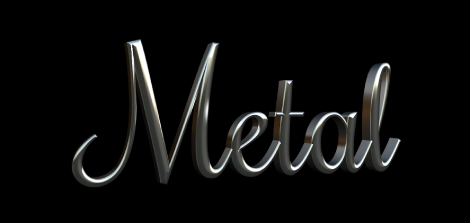
Type: A pop-up menu to choose a style of metal (brass, aluminum, steel, and so on). There’s also a Custom option to modify the gradient for the metal’s reflection. See Example: Customize a metal gradient.
Shininess: A slider to adjust how reflective the surface appears.
Thickness: A slider to adjust the apparent thickness of the metal surface when it’s applied on top of another substance layer. Control this parameter more precisely by clicking the disclosure triangle, then adjusting individual Base and Highlight sliders.
When Substance is set to Plastic
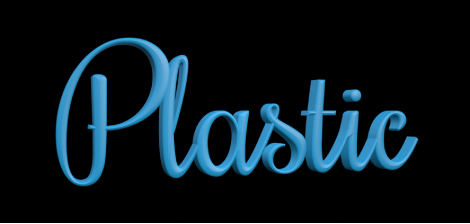
Type: A pop-up menu to choose any of three plastic styles: Shiny, Matte, or Textured.
Color Type: A pop-up menu to choose whether you want the plastic surface to be a solid color or a gradient. For information on using gradients, see Gradient editor overview.
Color: A color control (available when Color Type is set to Color) to set the color of the plastic.
Gradient Controls: A gradient control (available when Color Type is set to Gradient) to set a preset gradient or create a custom gradient, and to determine how the gradient is applied to the text object.
Texture Depth: A slider (available when Type is set to Textured) to adjust how visible the texture appears on the object.
Placement: A group of controls (available when Color Type is set to Textured) to determine how the texture is applied to the text object. For details, see Placement controls.
When Substance is set to Stone
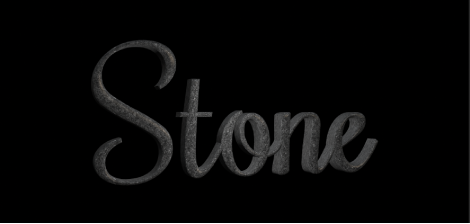
Type: A pop-up menu to choose a style of stone (Limestone, Dark Granite, Slate, and so on).
Depth: A slider to adjust the depth of surface irregularities in the stone substance.
Placement: A group of controls (available when you click the disclosure triangle) to set how the stone pattern is applied to the text object. For details, see Placement controls.
When Substance is set to Wood
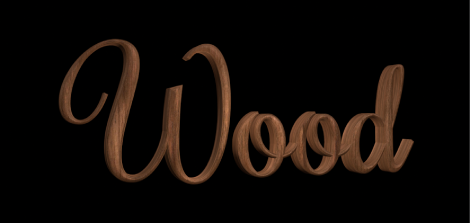
Type: A pop-up menu to choose a style of wood (Ash, Walnut, Bamboo, and so on).
Grain Depth: A slider to adjust the depth of grain in the wood substance.
Placement: A group of controls (available when you click the disclosure triangle) to set how the wood pattern is applied to the text object. For details, see Placement controls.
When Substance is set to Flat

Use the Flat substance type to create an object that has depth, but which is unaffected by light or shadows. Flat creates a “2.5-dimensional” look popular in graffiti and pop-art styles.
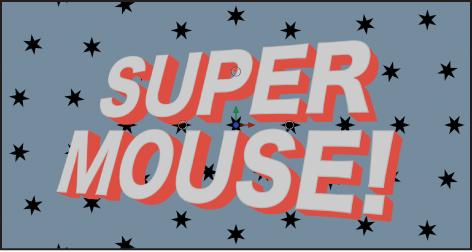
Surface: A pop-up menu to choose whether the surface should display a color, a gradient, or an image. For information on using gradients, see Gradient editor overview.
Color: A color control (available when Surface is set to Color) to set the color of the text.
Gradient: A gradient control (available when Surface is set to Gradient) to set a preset gradient or create a custom gradient.
Image: An image well (available when Surface is set to Image). Drag an image layer from the Layers list, Media list, Library, or File Browser into the image well to use as the surface material of the 3D text object.
Wrap Mode: A pop-up menu (available when Surface is set to Image) that determines how the selected image is applied to the 3D text object if the image is smaller or larger than the text object. Choose any of the following options:
None: The image is applied once to the text, and areas of the text object that exceed the scope of the image are not covered.
Repeat: The image is applied and reapplied to the text object as often as necessary, creating a pattern to fill in the area beyond the scope of the original image.
Mirror: The image is applied to the text object, then applied again in an inverted, reversed orientation to cover the area beyond the scope of the original image.
Placement: A group of controls (available when you click the disclosure triangle) to set how the image pattern is applied to the text object. For details, see Placement controls.
Intensity: A slider to adjust the vibrancy of the chosen Surface option (Color, Gradient, Image).
Opacity: A slider to adjust the transparency of the chosen Surface option (Color, Gradient, Image). Drag to the left to make the surface appear more transparent; drag to the right to make the surface appear more opaque.
Enable Edge: A group of controls (available when you click the disclosure triangle) that creates a dynamic effect for how edges are rendered depending on the relative position of the camera. As the text changes position (relative to the camera) the shading changes.
You can enable or disable these controls by selecting or deselecting the activation checkbox to the left of the Enable Edge row.
Edge Amount: A slider to adjust how visible the edges of the selected substance layer appear.
Invert: A checkbox that, when selected, inverts the visible area of the edges for the selected substance layer.
Blend Mode: A pop-up menu to control how flat substance layers interact with layers beneath them. Choose any of the following methods:
Normal: The visible areas of the topmost substance layer obscures the edges of the layers beneath it.
Multiply: The visible areas of the substance layers are multiplied together so the darker areas of each layer appear on the edges of the text object.
Add: The visible areas of the layers are added together so the lighter areas of each layer appear on the edges of the text object.
When Substance is set to Generic
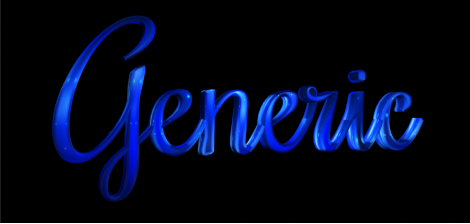
The generic substance type (often called “diffuse” in other 3D applications) is used in several of the preset materials available in the Library. When Substance is set to Generic, a neutral surface is generated, onto which a solid color, gradient, or image can be applied. This substance type is usually used in conjunction with the Custom Specular or Custom Bump finish layers to create unique looks.
Surface: A pop-up menu to choose whether the surface should display a color, a gradient, or an image.
Color: A color control (available when Surface is set to Color) to set the color of the paint.
Gradient: A gradient control (available when Surface is set to Gradient) to set a preset gradient or create a custom gradient. For information on using gradients, see Gradient editor overview.
Image: An image well (available when Surface is set to Image). Drag an image layer from the Layers list, Media list, Library, or File Browser into the image well to use as the surface material of the 3D text object. See Apply a custom material.
Placement: A group of controls (available when Surface is set to Image) to determine how the image is applied to the text object. For details, see Placement controls.
Wrap Mode: A pop-up menu (available when Surface is set to Image) to choose how the selected image is applied to the 3D text object if the image is smaller or larger than the 3D text object. Choose any of the following options:
None: The image is applied once, and areas of the text object that exceed the scope of the image are not covered.
Repeat: The image is applied and reapplied as often as necessary, creating a pattern to fill the area beyond the scope of the original image.
Mirror: The image is applied to the text object, then applied again in an inverted, reversed orientation to cover the area beyond the scope of the original image.
Brightness: A slider to adjust how much light is reflected by the surface of the text object. Control this effect with more precision by clicking the disclosure triangle and separately adjusting the following subcontrols:
Lights: A slider to adjust the amount of light reflected in the object’s surface, based on the light type chosen in the Lighting Style pop-up menu (in the Lighting group of controls).
Environment: A slider to adjust the amount of light reflected in the object’s surface, based on the environment type chosen in the Environment Type pop-up menu (in the Lighting group of controls).
Opacity: A slider to adjust the visibility of the substance layer. Drag to the left to make the substance more transparent, or drag to the right to make it more opaque.