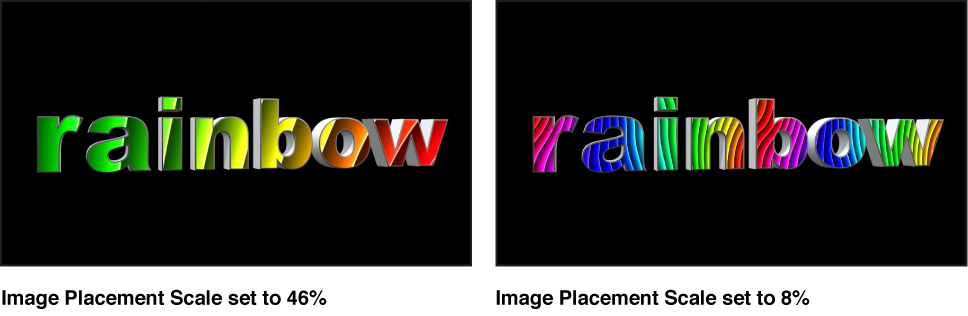

Many material layers use graphic images with fixed dimensions that are “mapped” to the 3D text object—for example, the pattern of a fabric substance or the scratches of a distress layer. When a material layer uses a mapped image, Placement controls become available at the bottom of that layer’s section in the Appearance pane of the Text Inspector. You can use these controls to set how the image is mapped onto the text object.
If you have multiple material layers—each using a different mapped image—you can adjust each layer’s Placement controls independently. For example, for a material made of a wood substance and a scratched distress layer, you can rotate the orientation of the wood grain one way, and then rotate the orientation of scratches the other way.
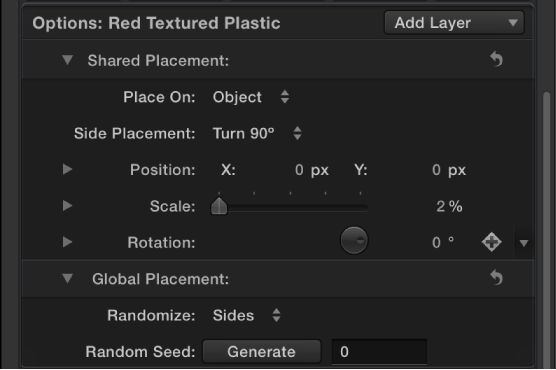
You can also adjust the orientation of multiple material layers at once using a shared set of Placement controls. For example, you can rotate the wood grain and the scratches as a group, in the same direction. The Shared Placement controls, located in the Options section of the Appearance pane (above the material layers controls), become available when you designate the placement for one or more material layers as Shared.
The Options section of the Appearance pane also has a set of Global Placement controls you can use to randomize the placement of any textures applied in any material layer.
Independent Placement controls
These controls appear at the bottom of each material layer in the Appearance pane that uses a texture or image. To see all the controls, click the disclosure triangle.
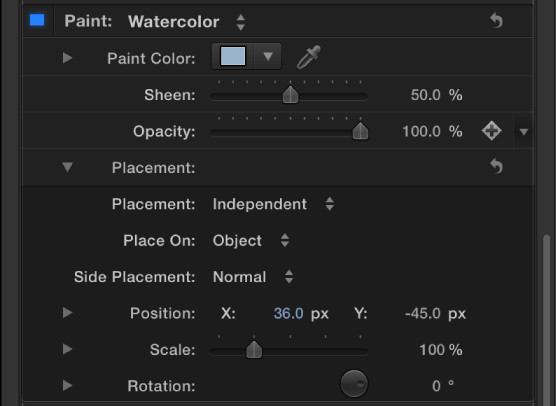
Placement: A pop-up menu to set whether the image or texture is mapped to the 3D text object independently of other material layers or in combination with other material layers. There are two options:
Independent: Activates controls (described below) for adjusting the position, scale, and rotation of this material layer’s image or texture.
Shared: Disables the Placement controls for this material layer, and enables Shared Placement controls in the Options section of the Appearance pane. Use the Shared Placement controls (described in the next section below) to adjust the position, scale, and rotation of this material layer’s image or texture, as well as those of any other material layers set to Shared.
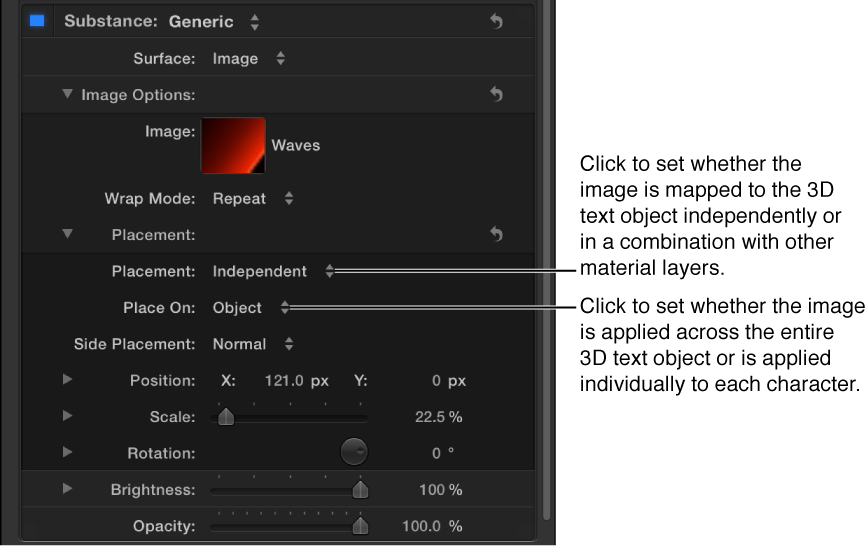
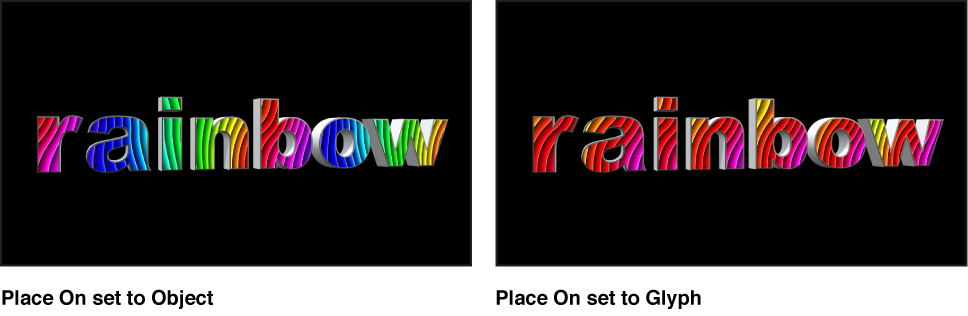
Place On: A pop-up menu to choose whether to apply the image or texture once to the entire text object, or to apply it individually to each glyph (character).
Side Placement: A pop-up menu to set how the mapped image or texture is applied to the sides of the text object. Choose one of the following options:
Normal: The image or texture is mapped to the front of the text object as well as to the side.
Turn 90°: The image or texture is mapped to the front of the text object; the same image is mapped to side the of text object, but is rotated by 90 degrees.
Stretch From Side: The image or texture is mapped to the front of the text object, and to the side, and the pixels on the edge are repeated, so that the pattern appears to be stretched over the sides of the text object.
Position: Value sliders to offset the location where the image or texture is mapped to the object.
Scale: A slider to adjust the image or texture being mapped. Click the disclosure triangle to reveal separate X and Y scale sliders and the Scale With Font Size checkbox (described below).
Scale With Font Size: A checkbox (visible when you click the Scale disclosure triangle) that, when selected, causes the size of the applied image or texture to change proportionally whenever you modify the font size of the text object.
Rotation: A dial to rotate the mapped image or texture around the Z axis. Click the disclosure triangle to reveal separate dials for rotating around the X, Y, and Z axes.
Shared Placement controls
These controls appear in the Options section of the Inspector when one or more material layers are set to Shared placement. These controls are identical to the controls described in the Independent Placement controls above. Adjusting these controls adjusts the placement (position, scale, rotation, and so on) of all material layers set to Shared placement.
Global Placement controls
These settings modify all images that are affected by placement controls, independent or shared.
Randomize: A pop-up menu to apply randomly generated variations of the pattern placement on the different facets of the 3D text object. Choose an option from the pop-up menu to limit the randomness to just the sides, just the front and back, or to all facets.
Random Seed: A control to choose a different random number to change the random pattern placement. Click the Generate button to have Motion select a random number, or enter your own number directly into the text field.