Paint: A pop-up menu to set a paint type: Smooth Paint, Textured Paint, Watercolor, or Reflective Paint.
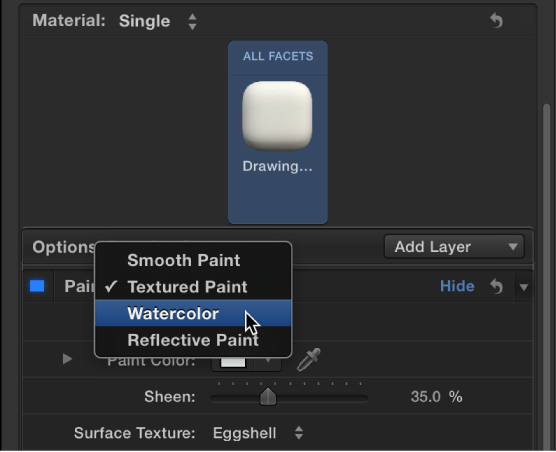

Use the Paint controls in the Appearance pane of the Text Inspector to create the effect of a coat of paint on the 3D text object. Depending on the option you choose in the Paint pop-up menu (at the top of the Paint section of the Appearance pane), different parameter controls become available.
Paint: A pop-up menu to set a paint type: Smooth Paint, Textured Paint, Watercolor, or Reflective Paint.
When Paint is set to Smooth Paint

Color Type: A pop-up menu to choose whether the paint is a solid color or a gradient. For information on using gradients, see Gradient editor overview.
Paint Color: A color control (available when Color Type is set to Color) to set the color of the paint.
Paint Gradient: A gradient control (available when Color Type is set to Gradient) to set a preset gradient or create a custom gradient.
Sheen: A slider to adjust the apparent shininess of the paint surface.
Opacity: A slider to adjust the visibility of the paint. Drag to the left to make the paint more transparent; drag to the right to make it more opaque.
When Paint is set to Textured Paint

Color Type: A pop-up menu to choose whether the paint is a solid color or a gradient. For information on using gradients, see Gradient editor overview.
Paint Color: A color control (available when Color Type is set to Color) to set the color of the paint.
Paint Gradient: A gradient control (available when Color Type is set to Gradient) to set a preset gradient or create a custom gradient.
Sheen: A slider to adjust the apparent shininess of the paint surface.
Surface Texture: A pop-up menu to apply a texture.
Texture Depth: A slider to adjust the visibility of the texture on the surface of the 3D text object.
Opacity: A slider to adjust the visibility of the paint. Drag to the left to make the paint more transparent; drag to the right to make it more opaque.
When Paint is set to Watercolor
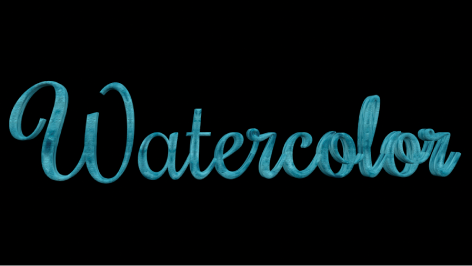
Color Type: A pop-up menu to choose whether the paint is a solid color or a gradient. For information on using gradients, see Gradient editor overview.
Paint Color: A color control (available when Color Type is set to Color) to set the color of the paint.
Sheen: A slider to adjust the apparent shininess of the paint surface.
Opacity: A slider to adjust the visibility of the paint. Drag to the left to make the paint more transparent, or drag to the right to make it more opaque.
Placement: A group of controls (available when you click the disclosure triangle) to set how the watercolor pattern is applied to the text object. For details, see Placement controls.
When Paint is set to Reflective Paint

Paint Job: A pop-up menu to select the type of reflective paint (Velvet, Pearl, Electric, and so on)
Paint Color: A color control to set the color of the reflective paint.
Second Color: Some Paint Job types use a second color. Use this color control to set that second color.
Sheen: A slider to adjust the apparent shininess of the paint surface.
Diffuse Brightness: A slider (available when Paint Job is set to Custom) to set the amount of color reflected by the text object.
Specular Brightness: A slider (available when Paint Job is set to Custom) to set the amount of light reflected by the text object.
Shininess: A slider (available when Paint Job is set to Custom) to set how mirror-like the surface appears.
Face Opacity: A slider (available when Paint Job is set to Custom) to set how transparent the paint effect is on surfaces that are more perpendicular to the camera.
Edge Opacity: A slider (available when Paint Job is set to Custom) to set how transparent the paint effect appears on surfaces that are more parallel to the camera.
Opacity: A slider to adjust the visibility of the paint. Drag to the left to make the paint more transparent; drag to the right to make it more opaque.
Fresnel: A slider (available when Paint Job is set to Custom) to set the amount that a change in viewing angle impacts the reflectiveness of the object. A high Fresnel value means that there’s a strong change in reflectivity as the viewing angle changes; a low Fresnel value means that the reflectivity remains relatively consistent regardless of viewing angle.