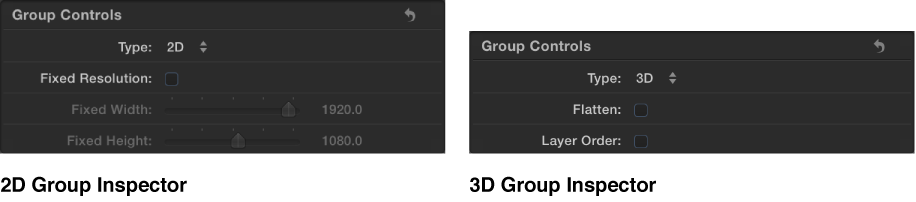

2D groups and 3D groups behave in different ways. And in the Group Inspector, 2D groups and 3D groups have different parameters.
The Group Inspector for 3D groups contains Flatten and Layer Order parameters. Selecting the Flatten checkbox places layers and groups inside the 3D group into a two-dimensional plane. Selecting the Layer Order checkbox composites layers and groups inside the 3D group according to their position in the Layers list rather than by depth order (position in the Canvas along the Z axis). For more information, see Create 3D intersection.
The Group Inspector for 2D groups contains the Fixed Resolution parameter. Selecting the Fixed Resolution checkbox lets you manually set the size of a group, using sliders. By default, Fixed Resolution is disabled and the size of the group is determined by the layers in that group. For more information, see Constrain group size.
2D group properties
Nested layers and groups are composited in the Canvas in layer order (hierarchical order in the Layers list). However, adjacent 3D groups that are not nested in 2D groups can intersect based on depth order.
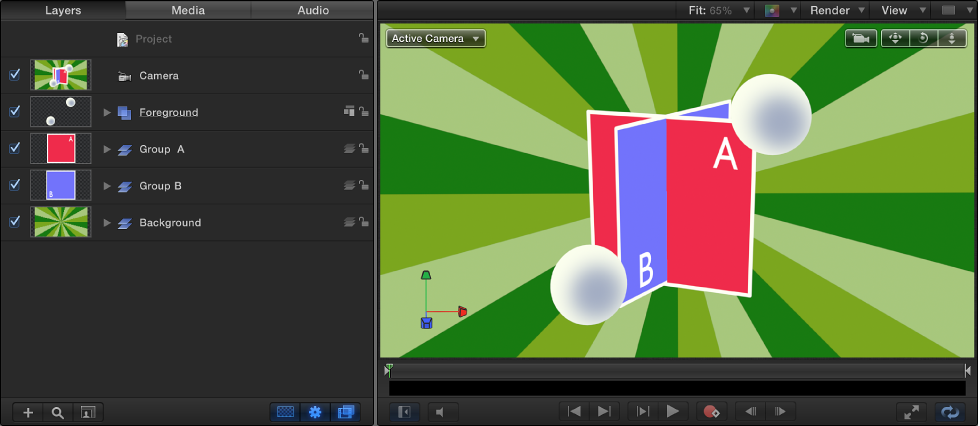
In the example above, the two gray balls in the 2D Foreground group are composited on top of the rest of the scene. Group A and Group B intersect because they are 3D groups, but neither of them can intersect with the 2D root-level groups.
A 2D group can be nested in a 3D group.
A 2D group not nested in a 3D group is locked to the camera, even if the camera is animated. (For more information about cameras, see About cameras and views.
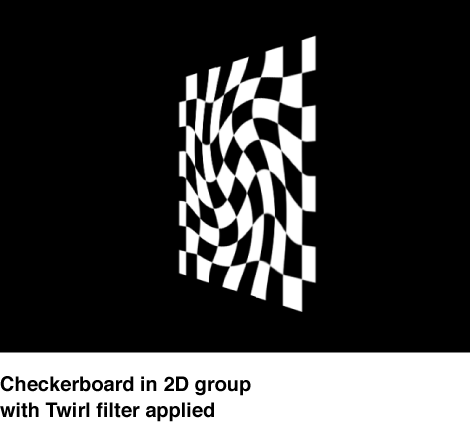
Filters are applied to a 2D group in local space—that is, flat to the image.
When lights are used, the group is lit as a single object; nested layers and groups are not lit individually.
Note: 2D groups not nested inside 3D groups are not affected by lights.
Because it is flat, a 2D group has Drop Shadow, Four Corner, and Crop parameters in the Properties Inspector.
2D groups can have a fixed resolution.
3D group properties
Nested layers and groups are composited in depth order (according to their position along the Z axis).
When a 3D group is nested in a 2D group, the 3D group is flattened. This means that the nested 3D group acts like a flat card and ignores the camera. In addition, the flattened group does not intersect with layers of the 2D group or other groups in the project.
Filters are applied to a 3D group in view space. In other words, the filter affects the group as if it were applied to the lens of the camera viewing the group.

When lights are used on a 3D group, its nested layers and groups are lit individually.
Only a 3D group with the Flatten parameter enabled has Crop, Drop Shadow, and Four Corner parameters in the Properties Inspector.