Ring modulation is a powerful tool for the creation of inharmonic, metallic, bell-like sounds. The spectra resulting from its use are inharmonic at almost every frequency ratio. The ring modulator is a device that dates back to the early days of the synthesizer.
A ring modulator has two inputs. At the output you hear both the sum and difference frequencies of the input signals. If you ring modulate a sine oscillation of 200 Hz with a sine oscillation of 500 Hz, the output signal of the ring modulator consists of a 700 Hz (sum) and a 300 Hz (difference) signal. Negative frequencies result in a change to the phase polarity of output signals.
Tip: Use sawtooth and rectangular (pulse width modulated) input signals from oscillators 1 and 2, respectively, to create a much more complex output signal. The use of these harmonically rich waveforms results in a number of extra sidebands becoming audible.
Create a ring-modulated sound
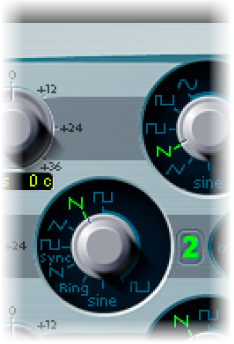
Set the oscillator 2 Wave knob to the Ring setting.
Experiment with different Frequency (main and fine tune) values for one, or both, oscillators.
The oscillator 2 ring modulator is fed with the output signal of oscillator 1 and a square wave, generated by oscillator 2 itself. The pulse width of this square wave can be modulated (see Use pulse width modulation in ES2).