
A paragraph style is a set of attributes—like a font size and color—that define how a paragraph looks. When you apply a paragraph style to a paragraph, all the text in the paragraph changes to that look. Use paragraph styles to:
Achieve a consistent look for all the text in your presentation: You can select any paragraphs and apply a style to them so they look the same.
Quickly make global changes to the look of text in your presentation: For example, if you apply the Heading style to all the headings in a presentation, and later decide you want to change their color, you can change the color of the Heading style itself, and all the headings update automatically.
Keynote comes with preset paragraph styles, but you can create your own paragraph styles to use in a presentation.
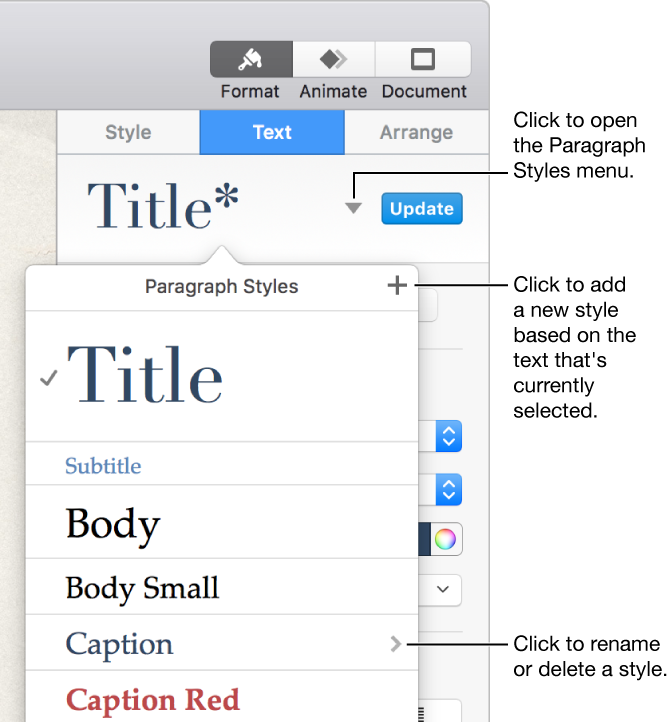
If you change the appearance of text that has a paragraph style applied to it, an asterisk appears next to the style’s name in the Paragraph Styles pop-up menu, indicating that the style has an override for that specific text. An Update button also appears if you changed all the text in the paragraph. In this case, you can leave the override as is or update the paragraph style to incorporate the change.