
Open a presentation
If you can’t open a Keynote presentation, make sure that you have the latest version of Keynote from the Mac App Store. If a presentation is dimmed and can’t be selected, the presentation can’t be opened by Keynote.
Do any of the following:
Double-click a Keynote presentation on your Mac.
Drag a presentation to the Keynote icon in the Dock or in the Applications folder.
In Keynote, choose File > Open Recent (from the File menu at the top of your screen). Keynote shows up to the last ten presentations you opened—either in iCloud or on your Mac.
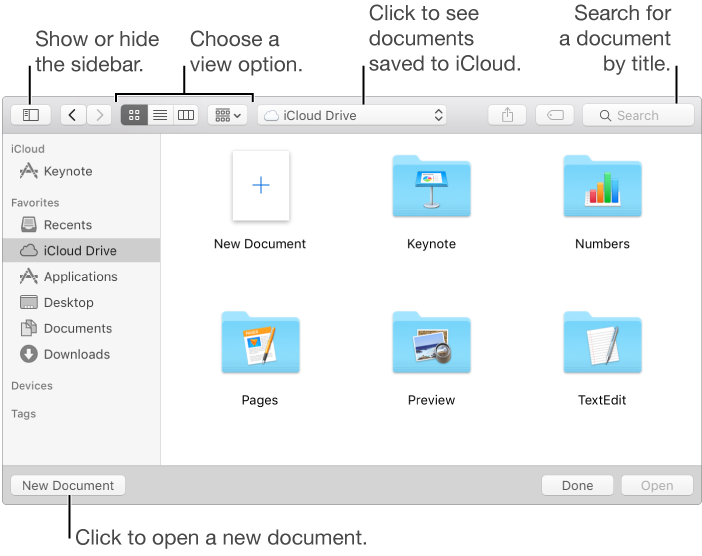
In Keynote, choose File > Open, select the presentation in the window that opens, then click Open.
You can use the sidebar on the left side of the Open dialog to look for presentations in folders and in places other than your Mac. Use the buttons at the top to change your view (for example, to see a list of presentation names or thumbnails).
To play the presentation, click  in the toolbar, then press the arrow keys to advance through the slides. To end the presentation, press Esc (Escape). For more ways to show a presentation, see Play a presentation on your Mac.