
Beats 1 is a worldwide radio station that’s available 24 hours a day, 7 days a week. It’s a great way to discover new songs and artists, or to keep up with your favorites. Beats 1 is part of Apple Music, and is available to subscribers and nonsubscribers alike—with subscribers able to access shows on demand.
With Apple Music Radio, you can enjoy on-demand radio that’s tailored for you from the most popular music in the iTunes Store. You can tune in to featured stations included with iTunes, or create your own stations based on your musical tastes. Apple Music Radio is available to Apple Music subscribers only.
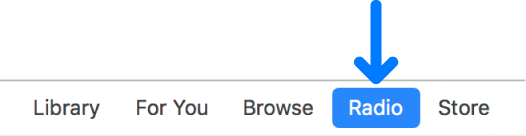
To view Beats 1 or Apple Music Radio, choose Music from the pop-up menu at the top left, then click Radio.
Play an Apple Music Radio station: Click Featured or Stations, move the pointer over the station, then click the Play button  .
.
Skip to the next song: Click the Next button  near the top left of the iTunes window.
Listen to Beats 1 radio: Click Beats 1 near the top of the Radio window, then click Play Now.
You can create a station anywhere in iTunes you can play a song.
Control-click a song, then choose Create Station.
The new station is available in the Recently Played list.