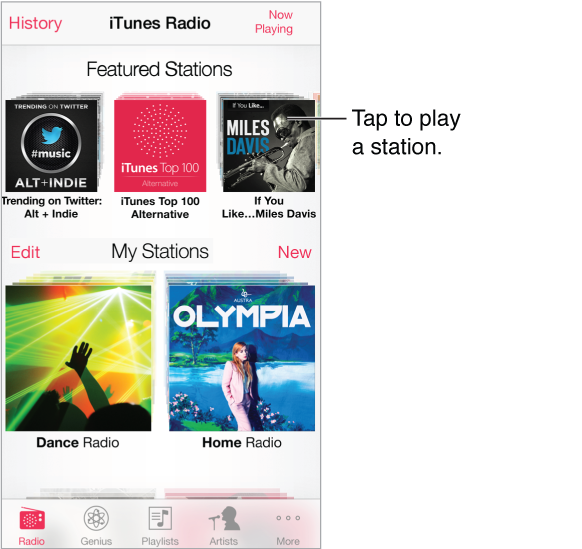
Featured stations provide a great way to explore and enjoy new music in a variety of genres. Also create your own custom stations, based on your pick of artist, song, or genre. See iTunes Match.
WARNING: For important information about avoiding hearing loss, see Important safety information.
Note: iTunes Radio may not be available in all areas. For more information about iTunes Radio, go to support.apple.com/kb/HT5848.
When you pick a station and play a song, the Now Playing screen shows the album art and the playback controls. Tap  to find out more, create a new station, fine-tune the station, or share it. See AirDrop, iCloud, and other ways to share.
Create a station based on an artist, genre, or song. Tap New Station on the iTunes Radio screen. Choose a genre, or do a search for your favorite artist, song, or genre. You can also create a station from the Now Playing screen by tapping the Create button.
Edit your stations. Tap Edit. You can include or exclude other artists, songs, or genres, or delete a station.
Influence upcoming song selections. Tap  , then tap Play More Like This or Never Play This Song. You can also add the song to your iTunes Wish List.
Skip to the next song. Tap  . You can skip a limited number of songs per hour.
See the songs you’ve played, or view your wishlist. Tap History, then tap Played or Wishlist. You can purchase songs for your library. Tap a song to preview it.
Purchase songs for your personal library. Tap the price button.
Share a station you created. While playing the station, tap , then tap Share Station.
Listen to iTunes Radio ad free. Subscribe to (and turn on) iTunes Match. See iTunes Match.