With iMessage or MMS, you can send messages with photos, videos, and audio.
Send a photo or video. Tap . You can:
Quickly take a photo from within Messages: Frame the shot in the viewfinder, then tap .
Choose a recent photo or video: Swipe left to browse through recent shots.
Take a photo or video using Camera: Swipe right, then tap Camera.
Choose a photo or video from your Photo Library: Swipe right, then tap Photo Library.
Then, tap to send or to cancel.
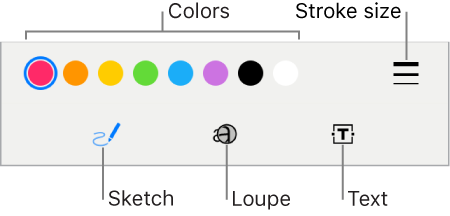
Mark up a photo. Tap the photo in the message bubble, then tap Markup. Annotate the photo with the Markup tools.
Find and share trending photos and videos from the web. See iMessage apps.
Send an audio message. Touch and hold to record an audio message, then lift your finger to stop recording. Tap to listen to your message before you send it. Tap to send or to cancel.
Note: To save space, iPod touch automatically deletes audio messages two minutes after you listen to them, unless you tap Keep. To always keep them, go to Settings > Messages > Expire (below Audio Messages), then tap Never.
Forward a message or attachment. Touch and hold a message or attachment, tap More, select additional items if desired, then tap .
Share, save, or print an attachment. Tap the attachment, then tap .
Copy an attachment. Touch and hold the attachment, then tap Copy.
Share items from another app. In the other app, tap Share or , then tap Message.
Delete a message or attachment. Touch and hold a message or attachment, tap More, select additional items if desired, then tap .
 . You can:
 .
. to send or
  to cancel.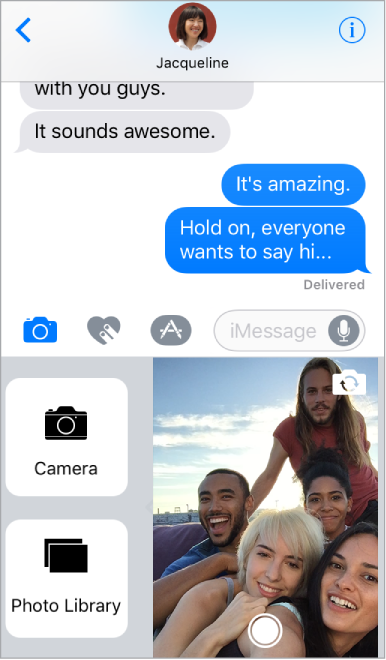
 to record an audio message, then lift your finger to stop recording. Tap
  to listen to your message before you send it. Tap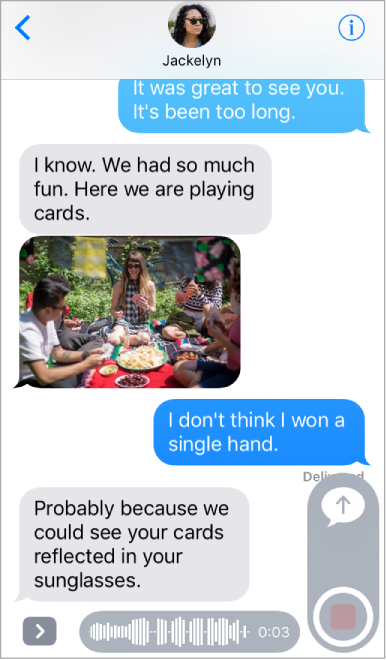
 .
. .
. .
.