 .
.Some apps let you extend the functionality of your iPod touch. An app extension may appear as a sharing option, an action option, a widget in Today View, a file provider, or a custom keyboard. For example, if you download Pinterest, Pinterest becomes another option for sharing when you click .
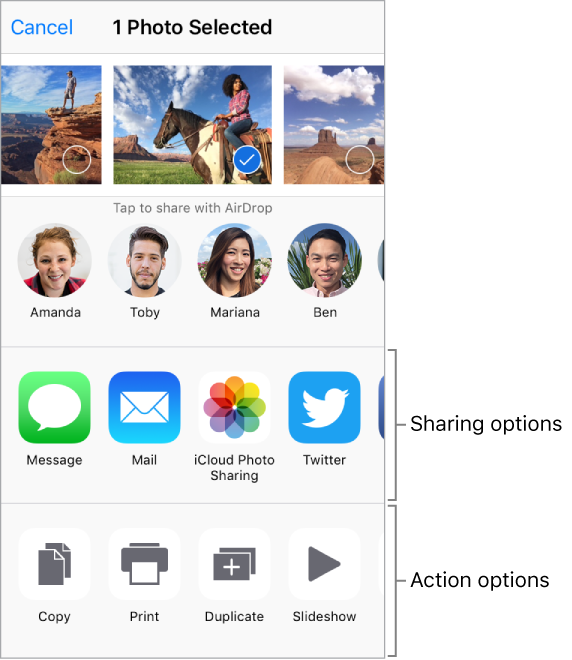
App extensions can also help you edit a photo or video in your Photos app. For example, you can download a photo-related app that lets you apply filters to photos.
Install app extensions. Download the app from the App Store, then open the app and follow the onscreen instructions.
Turn sharing or action options on or off. Tap , then tap More (drag options to the left if necessary). Turn off third-party sharing or action options (they're on by default).
Organize sharing and action options. Tap , then tap More (drag options to the left if necessary). Touch and drag  to rearrange your options.
For more information about Today widgets, see Today View. For more information about Sharing options, see Share from apps.