A photo album in iPhoto is just like one you would create with printed photos: It’s a collection of photos you select from your library and arrange in the order you want.
You can create photo albums to:
Focus on a particular subject, such as your favorite nature photos
Group pictures that you want to send to a friend, post on a webpage, or burn to a CD or DVD
Gather a decade of anniversary photos
iPhoto has two kinds of photo albums:
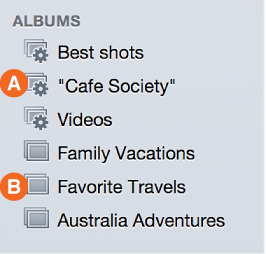
Standard photo albums: You create these albums (B, shown below) by selecting particular photos. You can add new photos by dragging them to the album (or using the Add To button), and you can remove photos at any time. All adding and removing is done manually; iPhoto doesn’t update standard albums automatically as you import new photos.
Smart Albums: iPhoto creates these albums for you, based on criteria your specify. iPhoto then updates Smart Albums (A, shown above) for you as your library changes. For example, you could create a Smart Album containing:
Photos of specific people, such as your family members. As you import new photos, iPhoto uses Faces to detect your family members, and automatically adds new photos of them to the Smart Album (after you’ve confirmed the matches in Faces).
All the photos of your daughter taken on school field trips in third grade. Use Faces (to name your daughter) and keywords (to mark certain photos or events as “field trips”) to help specify the photos you want iPhoto to place in that Smart Album.
You can make as many albums as you like, and you can include the same photo in several albums without making multiple copies of it.
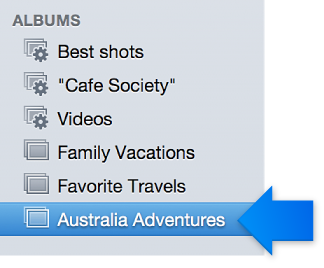
After you create an album, such as “Australia Adventures,” it appears in your Source list below Albums.
In full-screen view, the album appears as a stack of photos below Albums.
To further organize your library, you can group several albums (along with slideshows and projects) into a folder. For example, you could create a folder containing several years of birthday albums or a collection of albums with photos of your camping trips.
To create a folder, see “Create a folder in the Source list and move items into it” in “Customize the Source list”.
Folders appear only in the Source list, not in full-screen view.
Note: A photo album is different from a photo book, which is a collection of photos you create to get professionally printed and bound. See this topic: Photo book overview.