
Smart Controls let you quickly view and adjust the sound of the selected track. Each Smart Control features a set of screen controls. Adjusting a single screen control can modify one or more parameters for the track.
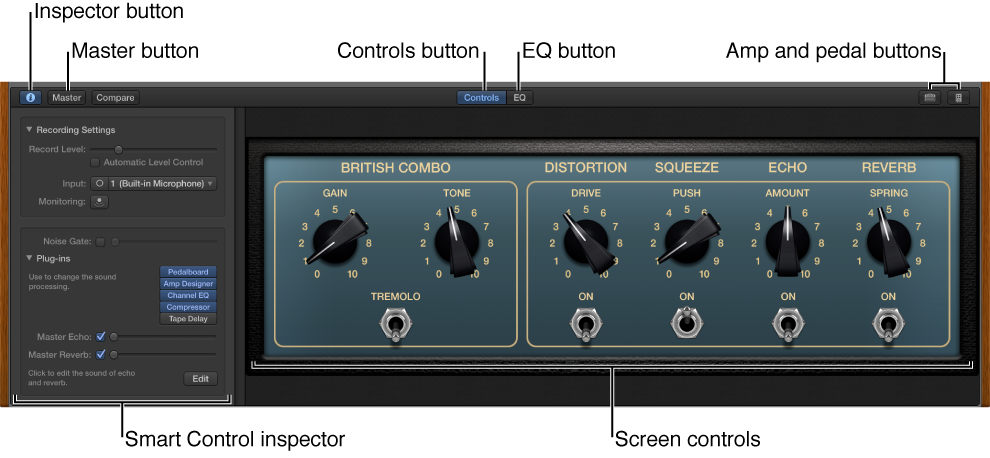
Screen controls: Visual controls that let you control the sound of the track. Screen controls are labeled to make their functions easier to understand.
Smart Control inspector: Shows input and monitoring controls (for audio tracks) or a keyboard sensitivity control (for software instrument tracks).
Master button: Shows the Smart Controls for the master track.
EQ button: Opens the EQ effect for the selected track.
Amp and Pedal buttons: Opens the Amp Designer and Pedalboard plug-ins (electric guitar tracks only).
Arpeggiator button: Opens the Arpeggiator (software instrument tracks only).
Do one of the following:
Click the Smart Controls button  in the control bar.
Choose View > Show Smart Controls.
Click the Inspector button  in the Smart Controls menu bar.
For information about working with Smart Controls, see Smart Controls overview.