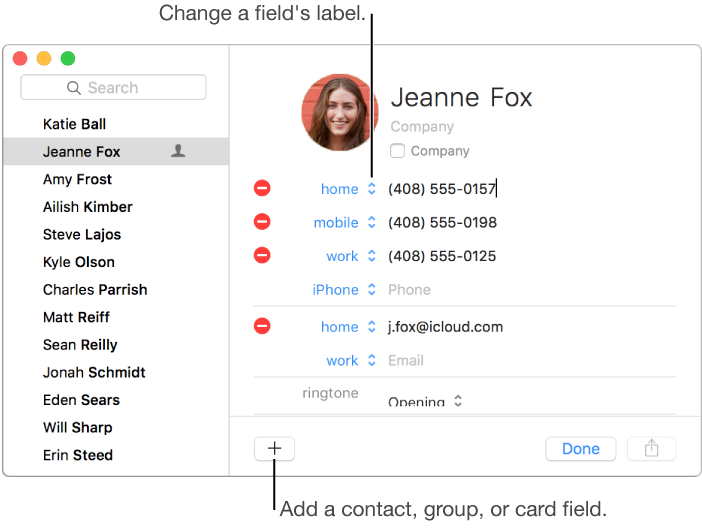

You can include each contact’s address, telephone number, email address, birthday, and more.
Contacts are added to your default account. To change your default account, choose Contacts > Preferences, click General, then click the Default Account pop-up menu and choose an account.
Click the Add button  , then choose New Contact.
Add contact information.
Add a field: Click Add , then choose a field.
Change a field’s label: Click the label and choose a different one.
If a field doesn’t apply: Leave it blank or click the Remove button  if the field has been filled.
Empty fields are displayed only when you edit contact information.
Click Done.
If you add contacts to an Exchange account: You can add only three email addresses and there are limits on the number of phone numbers, contact names, messaging addresses, and street addresses.