
Create a new item in the Library inspector
Do one of the following:
Choose File > New, and choose an item from the submenu.
Choose an item from the New pop-up menu in the toolbar.
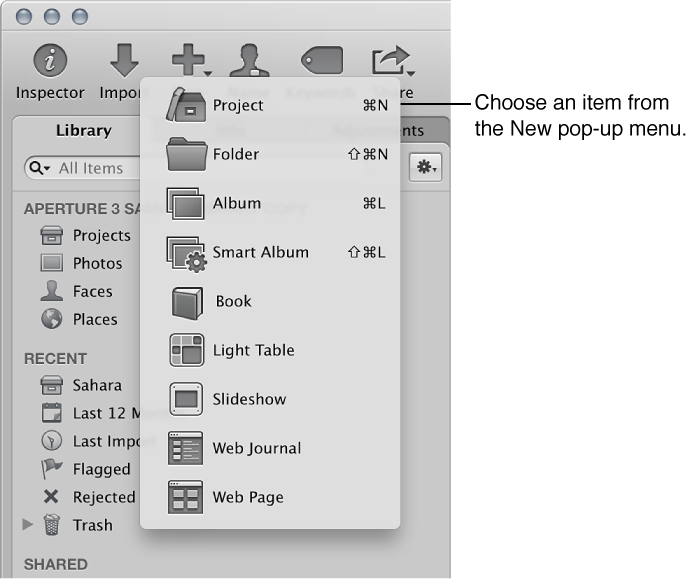
Aperture prompts you to name new projects, albums, and Light Table albums before adding them to the Library inspector. Aperture immediately adds new folders, Smart Albums, and Smart Web Page Albums to the Library inspector with the item’s “Untitled” name highlighted so that you can rename them as you create them. When you create a new book, slideshow, web journal, or webpage, Aperture prompts you to choose a theme in addition to a name before adding the item to the Library inspector.