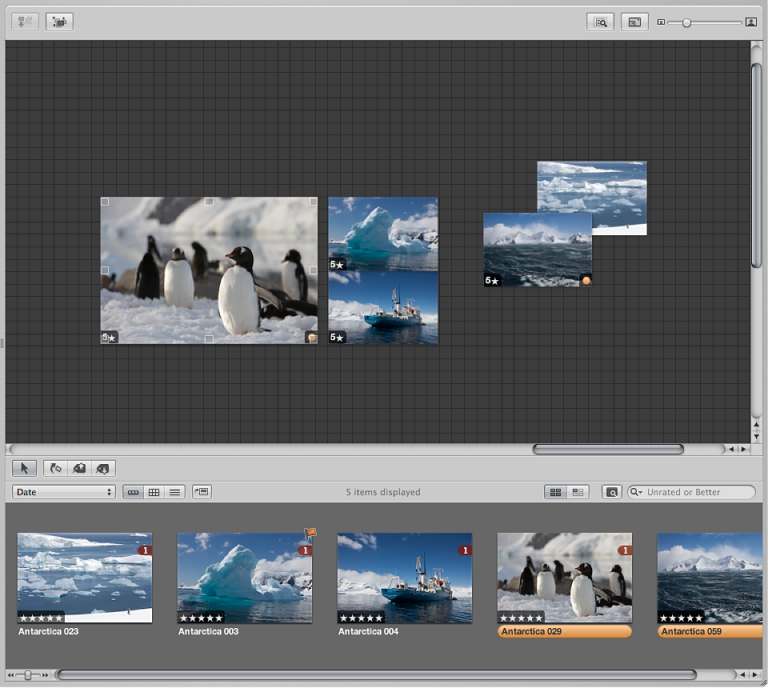

The Light Table provides a large, open space where you can freely resize, group, and rearrange photos. You can work with photos in the Light Table just as you would work with slides on a physical light table. You can place a selection of photos in the Light Table for review and drag them to new positions, arranging, grouping, and resizing them in different combinations to see how they might look on webpages or book pages. The Light Table automatically displays yellow guidelines that show you how the item you’re working with aligns with other items already on the page. You never run out of space in the Light Table—it grows as you add photos to it, and it’s easy to adjust the view by zooming in or changing the area of the Light Table that’s shown.
You can use the Light Table to:
Color correct many related photos. You can arrange related photos together and carefully compare the color values between photos.
Sort photos into related piles. After sorting, you can select groups of photos and assign keywords to all the photos in a group at once.
Create editorial layouts, arranging photos onscreen to tell a story. You can put the selects from a given project in the Light Table and arrange them so that they progress visually, eliminating repetitive photos. As you group and pair photos of the same subject, you’ll find the Light Table ideal for examining the relationships between photos.
After arranging photos in the Light Table, you can print the arrangement. For more information, see Print Light Table arrangements.