
In the debug area, you can simulate a location for your app returned by the Core Location framework.

Click the Simulate Location button, then choose one of the predefined locations.
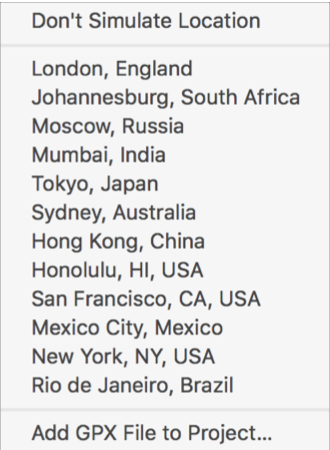
When a location is selected, Core Location framework classes like CLLocationManager return data at that location.
Choose Add GPX File to Project… to specify a GPS Exchange Format file that simulates location data in your app.
A GPX file may have a series of waypoints using the GPX waypoint (wpt) tag but the route (rte) and track (trk) tags are not supported.
Choose Don’t Simulate Location to stop simulating location and instead use the location of the device running the app, if available.