
Conditionalize individual build settings to produce product variations for different architectures and SDKs.
Locate and select the desired build setting in the Build Settings pane of the project editor. See Find a build setting.
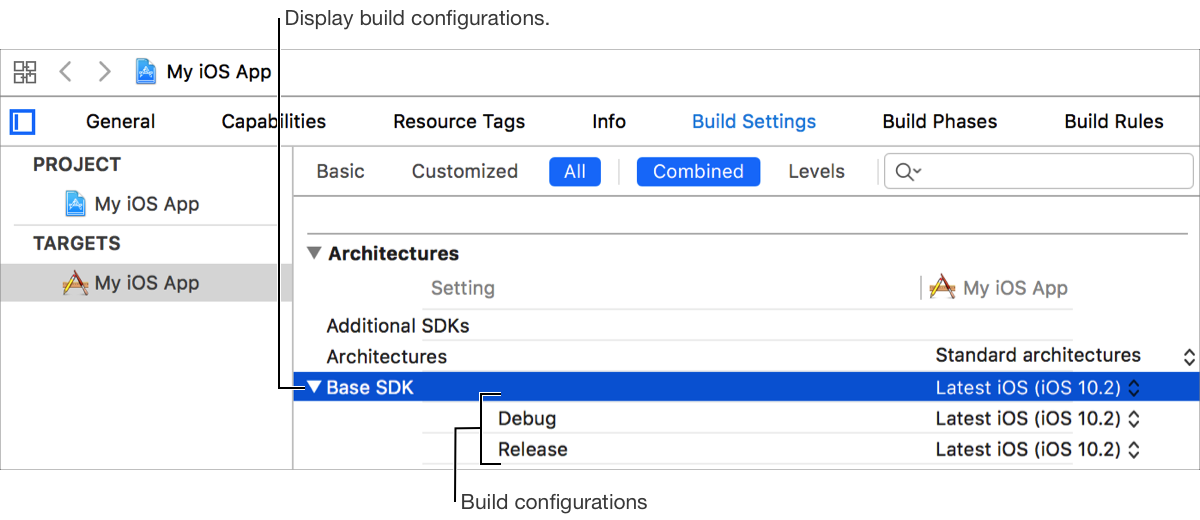
Click the disclosure triangle to the left of the build setting to display all available build configurations.
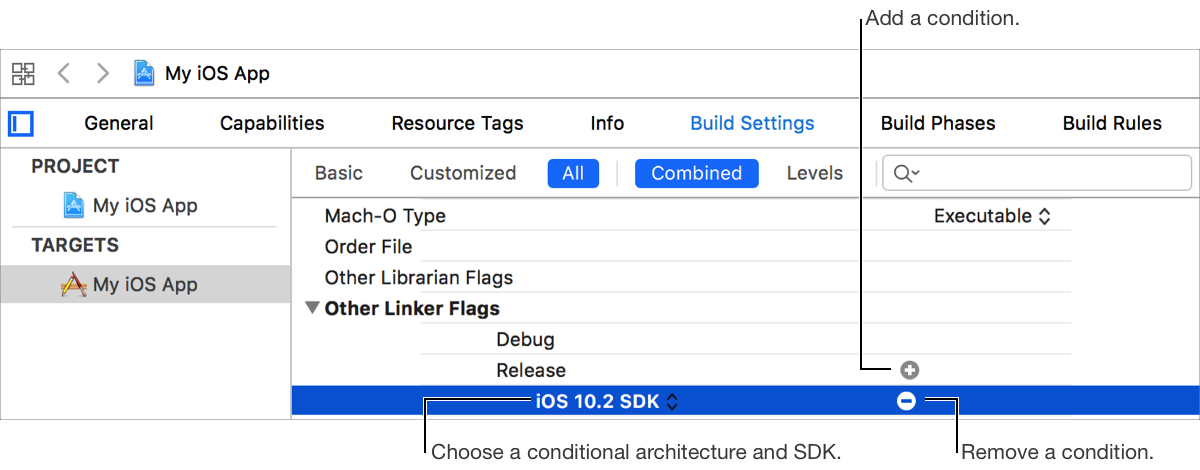
Hover the pointer over a build configuration and click the Add Conditional button (+).
Choose an architecture and SDK from the conditional pop-up button.
Choose or enter a value for the conditionalized build setting. See Configure build settings.
To remove a conditionalized build setting, hover the pointer over a condition and click the Remove Conditional button (+).