
Use the scheme editor to build specific targets when you run, test, profile, analyze, or archive your app.
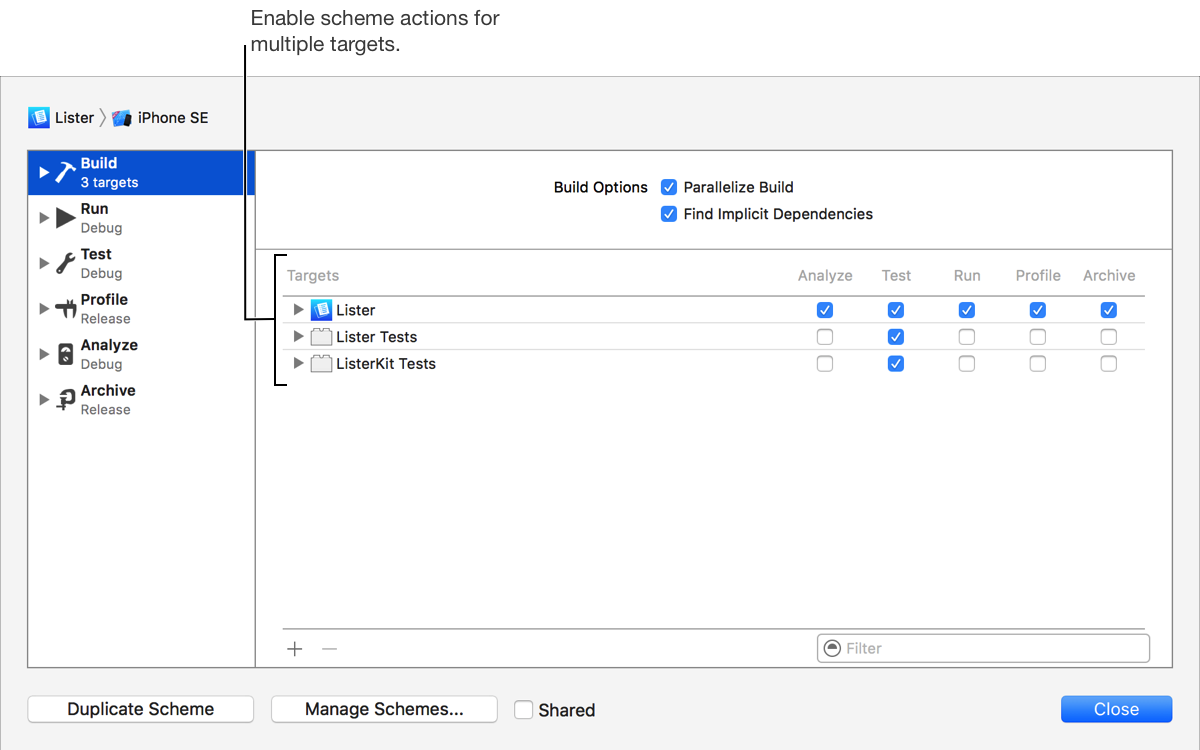
Choose Edit Scheme from the scheme menu in the toolbar.
In the left column, select the Build scheme action.
In the right column, select the action checkboxes for each target you want to build.
Select the Parallelize Build checkbox if you want targets to be built at the same time when target dependencies allow. If you select this option, the build is faster, but it assumes you’ve set up target dependencies correctly.
Select the Find Implicit Dependencies checkbox if you want targets that other targets depend on to be built first.
Click Close.