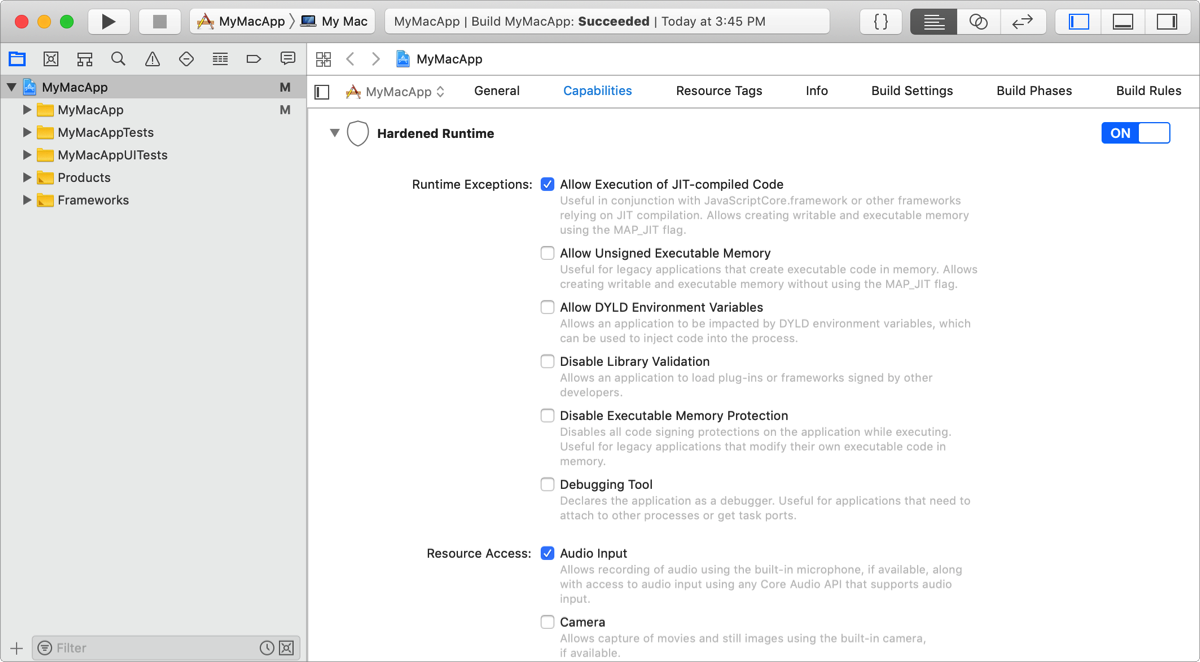
Hardened runtime provides security protection for your apps. If you upload a macOS app to be notarized, you must enable the hardened runtime capability and declare entitlements for the functions your app requires.
Important: The hardened runtime capability is available in Xcode 10 and later on macOS 10.13.6 and later. However, this capability must be tested on macOS 10.14 and later.
In the project editor, select the target, then click Capabilities.
In the Hardened Runtime section, click the switch to turn it from OFF to ON.
Under Entitlements, select the checkboxes for the entitlements you want to add.
The entitlements disable a hardened runtime security protection or allow your app to perform a specific action. Run your app on macOS v.10.14 or later to determine if your app requires an entitlement before you add it.