) in the Inspector bar. The inspector pane shows the attributes of the currently selected object.
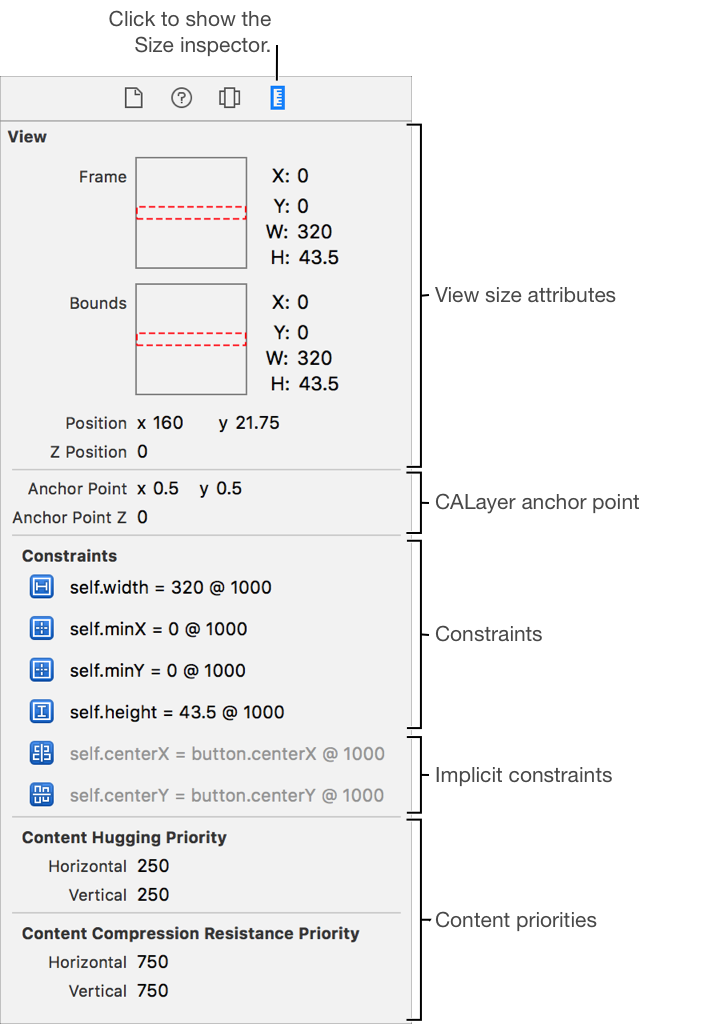
Use Size inspector to view run time information size and constraint information for an object in the view debugger. To open the Object inspector, click the Size button () in the Inspector bar. The inspector pane shows the attributes of the currently selected object.
The inspector pane is divided into groups of information including:
View.The frame and bounds rectangle, position in the parent, and the CALayer anchor point of the view.
Constraints.The runtime constraints. Implicit constraints added are shown in gray.
Content priorities.The runtime priorities for content hugging and content compression resistance.