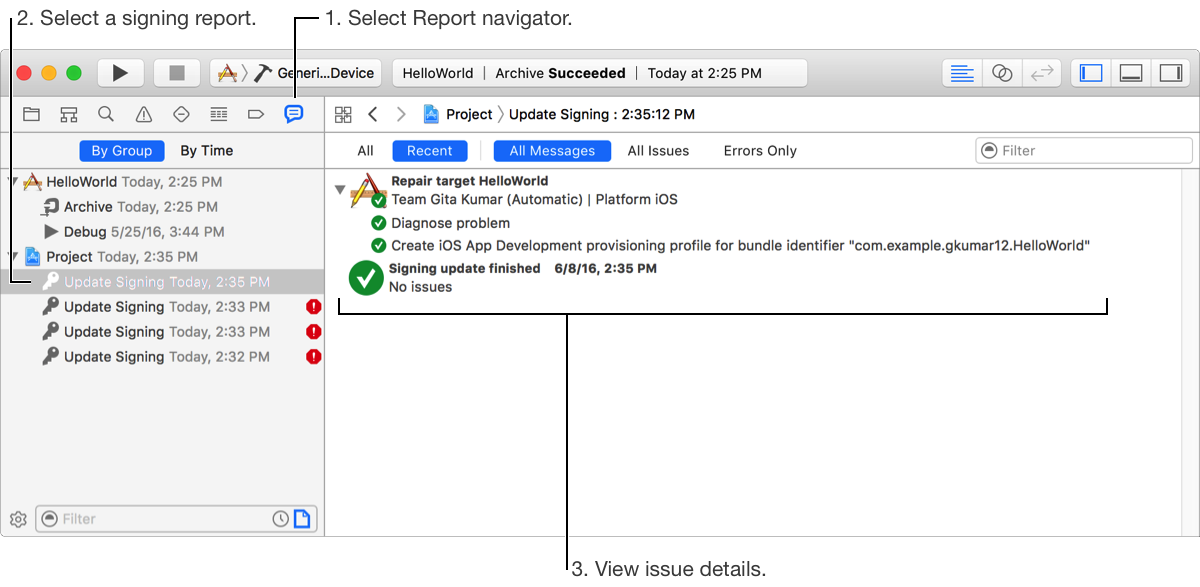
If you use automatic signing, Xcode identifies, diagnoses, and resolves signing issues for you. If you want to know more about an issue, view the signing report in the Report navigator. If a code signing error occurs when you build an app, view details in the Build report.
In the navigator area of the main window, select the Report navigator button ( ) or Choose View > Navigators > Show Report Navigator.
Signing reports appear under the Project group.
Select an Update Signing report to view it in the editor area.