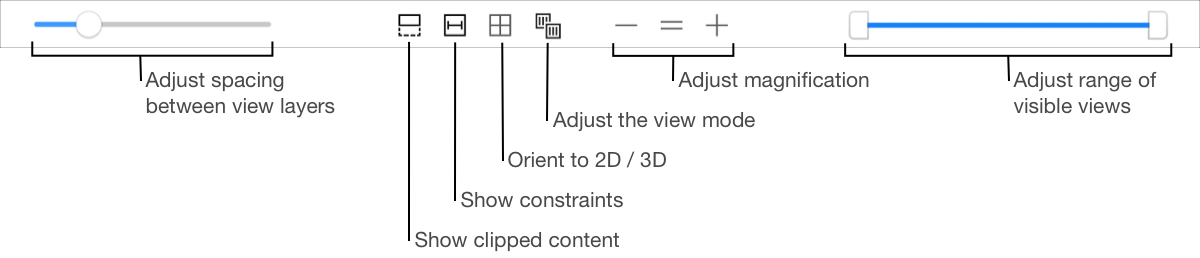
Use the view controls to change how the view hierarchy is rendered on the debugger canvas.
Task | Steps | ||||||||||
|---|---|---|---|---|---|---|---|---|---|---|---|
Rotate the rendered views. | Drag in the canvas. | ||||||||||
Change the spacing between the rendered view layers. | Drag the the lower left slider. | ||||||||||
Show clipped content for the selected view. | Click the Show clipped content button ( | ||||||||||
Show Auto Layout constraints for the selected view. | Click the Show constraints button ( | ||||||||||
Toggle between 2D and 3D views. | Click the Orient to 2D/3D button ( | ||||||||||
Display only the contents of the views. | Choose Contents ( | ||||||||||
Display only the wireframes of the views. | Choose Wireframes ( | ||||||||||
Display the contents and wireframes of the views. | Choose Wireframes and Contents ( | ||||||||||
Change the bottommost visible view. | Move the left handle of the double ended slider on the lower right. | ||||||||||
Change the topmost visible view. | Move the right handle of the double ended slider on the lower right. | ||||||||||
Change the magnification of the displayed views. | Click the Zoom In (+) and Zoom Out (-) buttons. Click the Actual Size button (=) to show the views at full size. | ||||||||||
 ).
). ).
). /
/ )
)  )
)  )
)  )
)