
Resizing a table makes the table larger or smaller; it doesn’t change the number of rows and columns it contains.
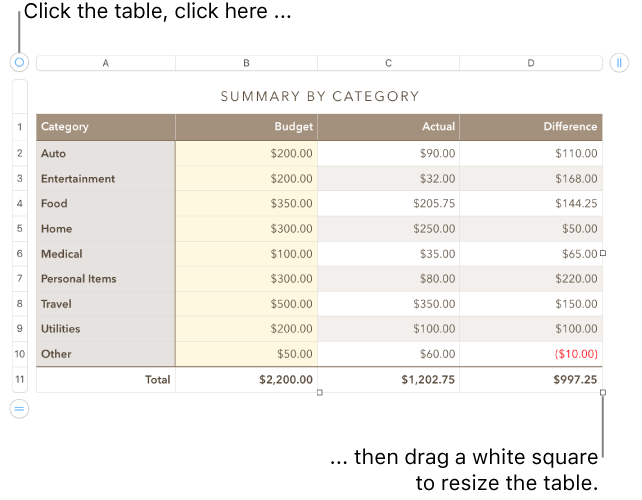
Click the table, then click  in its top-left corner.
Drag any of the white squares on the edge of the table to make the table larger or smaller:
Resize the rows and columns simultaneously: Drag the white square in the corner.
Resize the table proportionally: Shift-drag the white square in the corner.
Click the table, then drag in its top-left corner.
Note: If the table doesn’t move freely, it might be set to move along with text as you type. To change this setting, click the table; in the Format  sidebar, click the Arrange tab; then click Stay on Page.
You can lock a table so that it can’t be edited, moved, or deleted.
Do one of the following:
Lock a table: Click the table, then choose Arrange > Lock (from the Arrange menu at the top of your screen).
Unlock a table: Click the table, then choose Arrange > Unlock.